Your call may be recorded for training and quality assurance purposes.
If you do not wish to have your call recorded, please press 1. Otherwise, press 2 to continue and start the recording
Can we configure this for outbound calls on freepbx 17
Your call may be recorded for training and quality assurance purposes.
If you do not wish to have your call recorded, please press 1. Otherwise, press 2 to continue and start the recording
Can we configure this for outbound calls on freepbx 17
any leads please
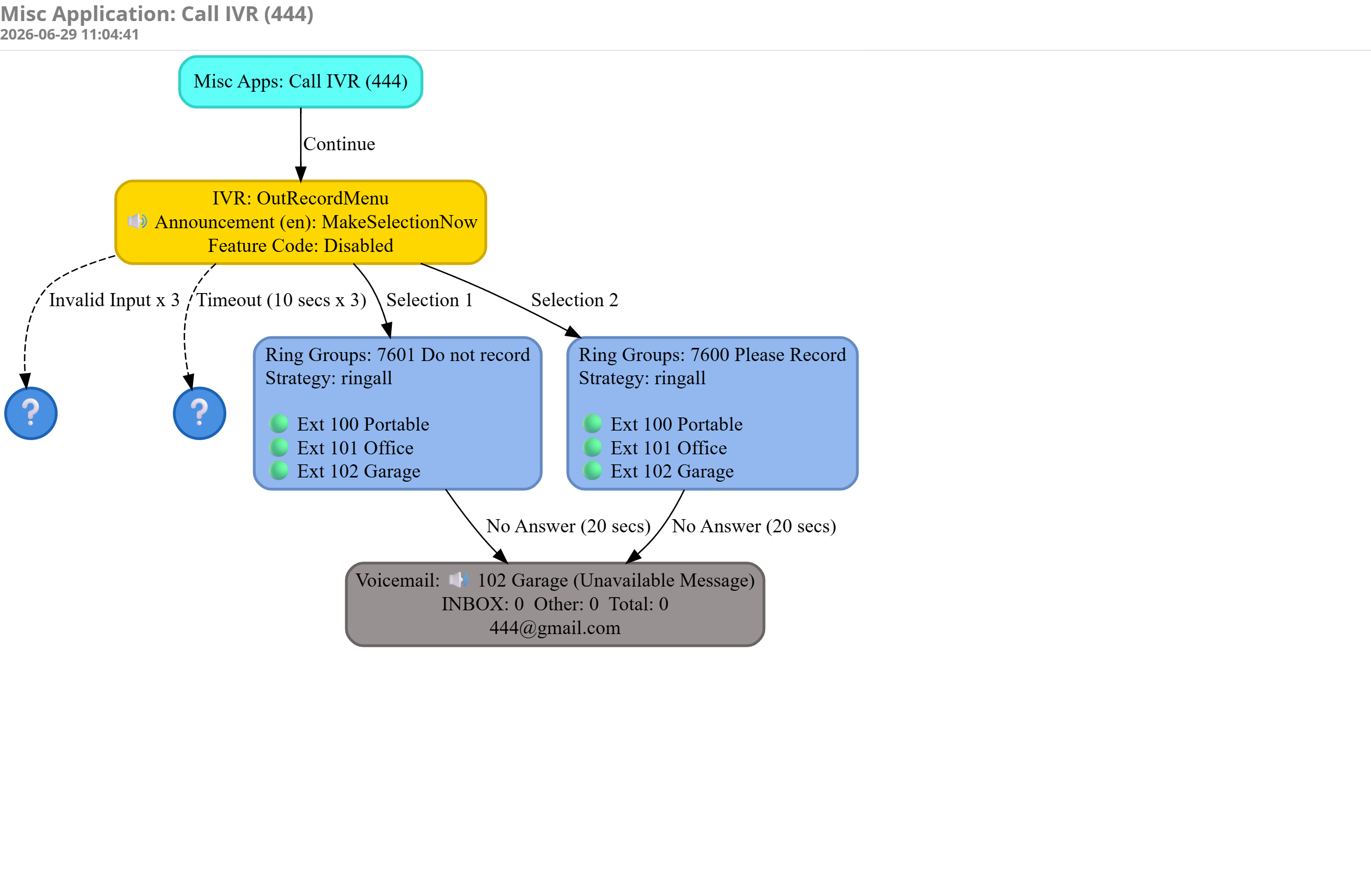
To initiate an outbound call dial the number, and when answered blind transfer to x444
Short Code 444: → Misc. Apps: call IVR, dest. IVR OutRecordMenu
IVR OutRecordMenu - select one of two Ring Groups (one is record, one is do not record)
Once the selection is made, members of the ring group will get a ring on their extension.
After reviewing, this looks like it might not work the way you would want it to without a customization.
They very clearly said outbound, which is what makes it more difficult.
I need it for Outbound Calls. like opt-in and opt-out options for users so they can decide whether to record or not to record calls
This won’t work as you think it does. An outbound channel from Asterisk will not accept incoming DTMF from the far side because it’s an outbound channel. In order to do this you need to use Local channels because it’s a two legs at that point, the outbound channel makes the call and when it’s answered, the new channel legs is an inbound leg allowing for the acceptance of DTMF.
It’s how anything like Follow-Me, Ring Groups or anything that allows for Call Confirmation when “forwarding the call” does it in FreePBX.
I see a Mexican standoff here, where both sides are trying to get permission to record (or for B2C calls, the caller is being put through a junk call filter dialogue).
Also I didn’t understand how @sippy 's solution matched the the OP’s requirement.
In a B2C context, I think I would always hit option 2, if I didn’t just drop the call.
yes this way