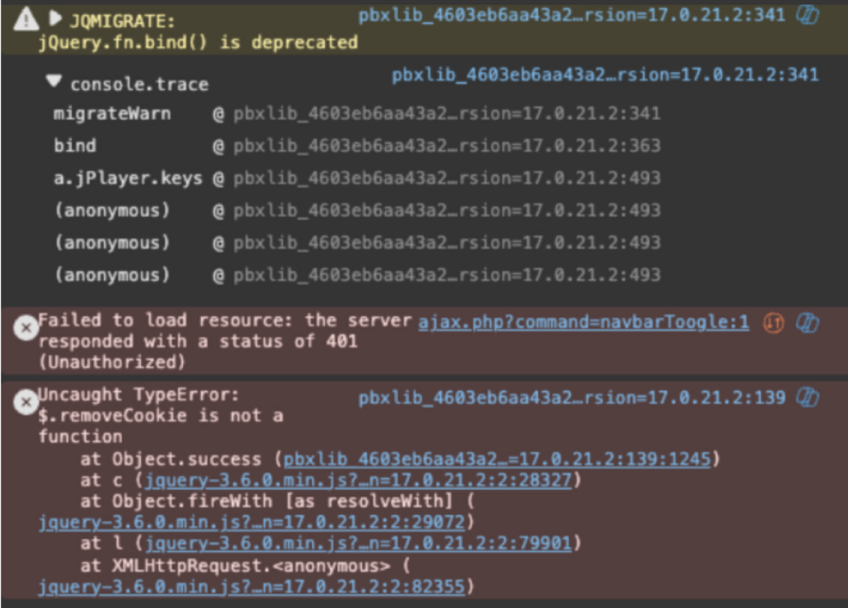
Looking at the browser’s javascript console, I see Uncaught TypeError: $.removeCookie is not a function. However, after a restore, it was clear this error was already present before the upgrade and did not prevent successful login.
Post upgrade, what I do not see is any communication between browser and freepbx when I click the continue button.
I have cleared browser caches.
I restored a backup and attempted the upgrade again, this time remaining logged in to the Admin UI. Everything functioned as expected, until I logged out. I suspect the issue resides somewhere in the login handling of the clientside JS.
I am using http to access FreePBX and, after seeing this post, I enabled and tried https access. However in my case, the result remain the same.
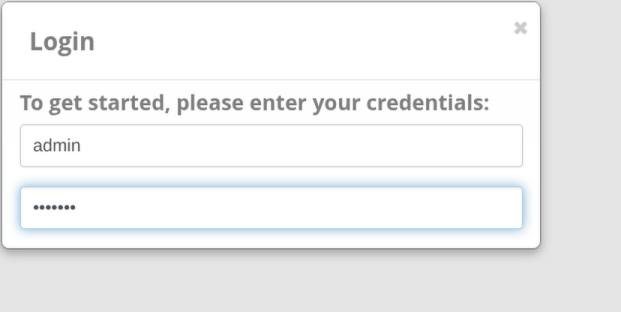
I’m having the same issue here on Two of my systems. When trying to log into the admin page, I get a login window - enter user name and password, but it won’t sign in. Just stays there. Note that I had a pc logged into one of those freepbx systems and that one still has access no problem, but once signed out, unable to sign in (from any browser)
After restoring from a full disk backup, the $.removeCookie TypeError is also raised, but I can log in successfully once again. Where as post upgrade, there is no http request made when I click ‘Continue’. Presumably this issue is connected with changes to clientside JS some point after core-17.0.18.34 and/or framework-17.0.21.
Can’t log in after updating framework module.
The “Continue” button is missing.
UCP works fine.
I was able to downgrade framework via: fwconsole ma downloadinstall framework --tag=17.0.21 && fwconsole restart
This allowed me to log back in. But, it’s a workaround, at best.
For what it’s worth, I do not have the sangomaconnect module installed. I’m not sure if that has anything to do with issue after updating to 17.0.21.2 but thought I’d mention it since I get errors about it upon restarting fwconsole.
This should be mostly if not completely resolved in the mirror now – the problematic versions with the error were masked. Please try updating your systems to the latest available versions of the framework module (16.0.41 & 17.0.21) using the normal GUI mechanism and report back here if any issues. Thank you for using FreePBX!
This issue may be limited to partially updated systems.
Would previously affected users and/or those who are able to test the “broken” version via manual install please report the output of:
sudo -u asterisk fwconsole setting MODULE_REPO
Also, guest browser versions and OS would be much appreciated along with a link to the list of modules – perhaps by pasting into our pastebin.freepbx.org the output of:
Interesting – that was a very limited subset of modules. Are you manually pruning ? Was this system installed with the official FreePBX 17 shell script ?
I installed a base debian system. Compiled asterisk and downloaded freepbx. Then installed those modules I believed required for a working system. Then, added a few modules (suchas cdr, cel etc) as I read up about asterisk & FreePBX. The system has run for about 18 months and I have not experienced any issues with module updates during that time until now. I did not use the installation script.
Something along the lines of this guide without installing all modules and certain post-installation tasks. Installed in a Proxmox lxc container.
That’s awesome, but, definitely non-standard and not something that is routinely thoroughly tested for as part of the official FreePBX module release process.
Again, awesome to hear that, with the caveat that custom setups occasionally need more care and feeding to keep updates applying cleanly.
If I’m missing a requisite module, would the module dependency not have pulled it in or flagged up the missing dependency? IIRC that’s what I have seen in the past.
Module dependencies should’ve been accounted for, yes. But that is not necessarily automated from the developer point of view, and people can still choose odd versions of things with e.g. --tag option.
Anyhow, from your log output in pastebin, it appears you’re not running the latest versions of the modules that you do have installed – so, reproducing this issue (or not) with all the latest versions combined with framework 17.0.21.2 would be nice to know about.

 along with a link to the list of modules – perhaps by pasting into our