My client’s install shows this notification: Module “ucp [not enabled]” is unsigned and should be re-downloaded
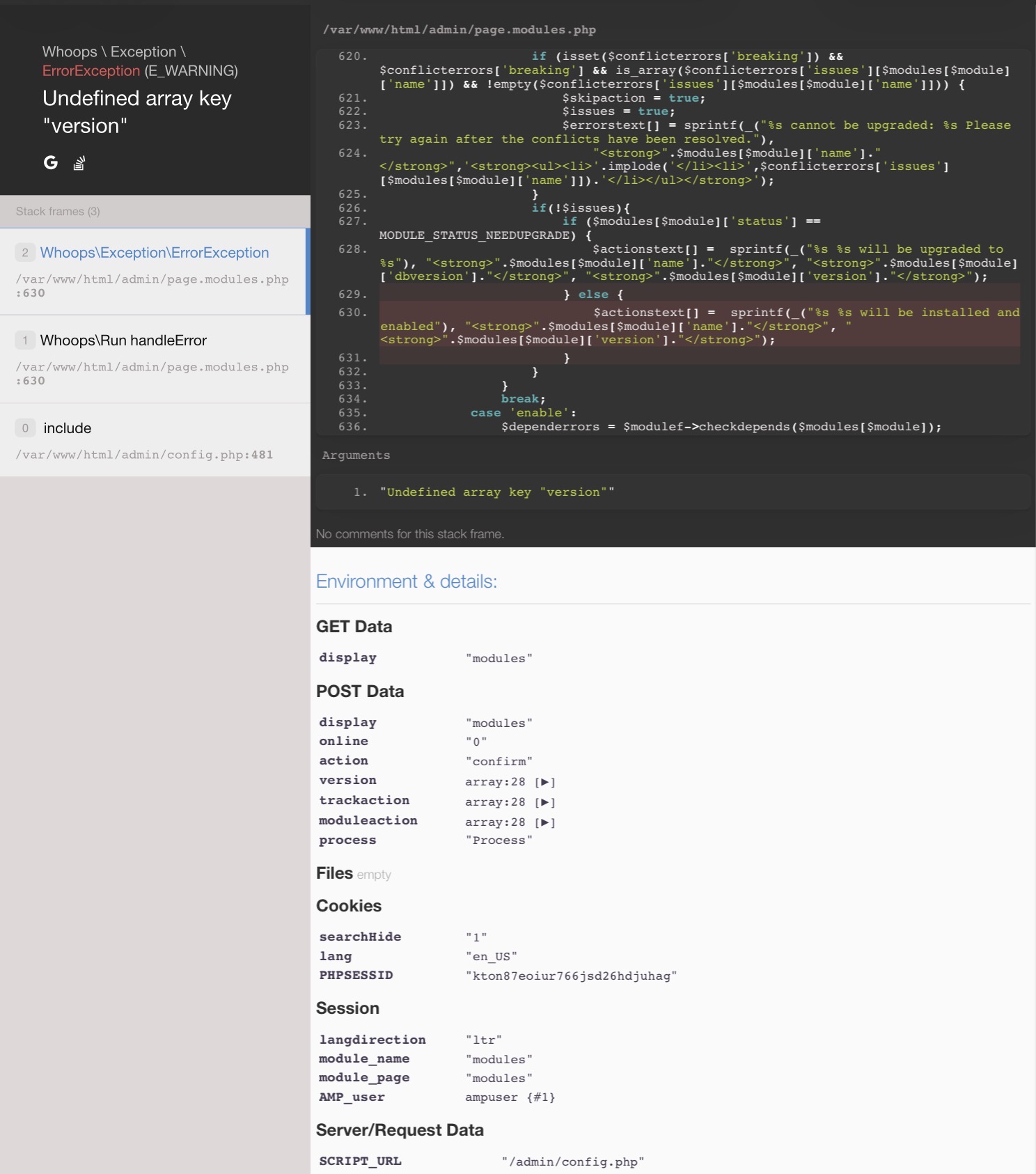
When going to the modules and reinstalling it, I’m shown the following:
When running “fwconsole ma upgradeall && fwconsole ma enable ucp” I’m shown the following:
The following error(s) occured: Module ucp cannot be enabled
Any tips how to solve this? UCP isn’t running at the moment. Should I wait until there’s an update?
kierknoby
(Kieran Knowles-Byrne // FreePBX UK)
2
I would try:
fwconsole ma refreshsignatures
fwconsole chown
fwconsole reload
fwconsole ma enable ucp
Anything show in the CLI when you do that?
Same output after running fwconsole ma enable ucp.
kierknoby
(Kieran Knowles-Byrne // FreePBX UK)
4
Ok, hopefully someone can investigate and reproduce this, and will reply here.
Can you confirm versions?
EDIT: I am unable to replicate on FreePBX and PBXact 17.0.30
User Control Panel Force Download and Install 17.0.9 Stable
airsay
(airsay)
5
What do you get when you run:
fwconsole ma list | grep -E ‘ucp|userman|core|pm2|certman’
fwconsole ma checkdepends ucp
and
grep -n ‘<version>’ /var/www/html/admin/modules/ucp/module.xml | head
-bash: userman: command not found
-bash: core: command not found
-bash: pm2: command not found
-bash: certman’: command not found
-–
In modulefunctions.class.php line 944:
Undefined array key “rawname”
moduleadmin [-f|–force] [-d|–debug] [–edge] [–ignorecache] [–stable] [–color] [–skipchown] [-e|–autoenable] [–skipdisabled] [–snapshot SNAPSHOT] [–format FORMAT] [-R|–repo REPO] [-t|–tag TAG] [–skipbreakingcheck] [–sendemail] [–onlystdout] [–] […]
-–
grep: /var/www/html/admin/modules/ucp/module.xml: No such file or directory
-–
Unable to install module ucp:
- Module is broken and cannot be installed. You should try to download it again.