Sysadmin hook breaks network interface when using cloud-init network management

Running FreePBX 17 / sysadmin 17.0.3.7 on Debian 12 (Vultr cloud image, cloud-init 23.4.4, ifupdown). Hitting a reproducible issue where the server loses its IPv4 address and can only be recovered from console.

Cloud-init writes the network config to /etc/network/interfaces.d/50-cloud-init, covering both interfaces (public NIC via DHCP, VPC NIC static).

The sysadmin module’s hooks/rename-interface renames that file to a per-interface name — on my box, enp1s0. The content is unchanged; it’s a straight rename, confirmed by matching inode content and ctime.

At the next boot, cloud-init recreates 50-cloud-init. Since /etc/network/interfaces sources interfaces.d/*, ifup now reads two files describing the same interfaces. The second pass fails:

ifup[780]: RTNETLINK answers: File exists
ifup[620]: ifup: failed to bring up enp8s0
networking.service: Main process exited, code=exited, status=1/FAILURE

Because networking.service is a oneshot and dhclient is forked inside its cgroup, the failure takes dhclient down with it. No DHCP client remains running, so the lease on enp1s0 is never renewed, and the address disappears at expiry — typically ~24h after boot. sshd is still listening and the console looks normal, but SYNs arrive with no local address to match, so connections time out silently.

The hook fires during any sysadmin-module activity, not just installation. In my case it ran when I opened asterisk-version-switch and quit without changing anything:

sysadmin-hook[100835]: sysadmin hook started - ["sysadmin_manager","sysadmin.rename-interface"]
sysadmin-hook[100835]: Running '.../sysadmin/hooks/rename-interface' via pcntl_exec

The file’s ctime is one second later.

modules/firewall/Network.class.php has:

php

public function getInterfaceConfig($int) {
    // TODO: Portable-ize this.
    return $this->getRedhatInterfaceConfig($int);
}

public function getRedhatInterfaceConfig($int) {
    ...
    if (is_readable("/etc/network/interfaces.d/$int")) {

So the modules expect RHEL-style per-interface config files, mapped onto Debian paths. That works on an appliance install where nothing else manages the directory, but is colliding with cloud-init on Vultr image of Debian 12.

My questions are:

  1. Is there a supported way to tell sysadmin not to manage network config on cloud instances?
  2. Would it be reasonable for rename-interface to skip the rename when a cloud-init-managed config is present, or to detect the datasource?
  3. Is anyone else running FreePBX 17 on Debian 12 cloud images seeing this? It seems like it would affect any cloud-init deployment, not just Vultr.

Right now, I’ve worked around the issue by creating a guard script that runs at boot (ordered before networking.service) and every 5 minutes via cron, moving any non-50-cloud-init file out of interfaces.d/. It works, but it’s fighting the module rather than configuring it, so I’d rather do this properly if there’s a supported path.
Not a fix, but I run netplan instead so freepbx doesn’t touch it.

FreePBX is designed as an appliance OS/application. It wants control over everything on the system from network management to package management. You have literally chosen to use something that will fight with FreePBX over said management.

This is like installing a NAS appliance and being upset because it wants to manage the disks but you want to use something else to manage the disks.

This isn’t some third-party tool that I added. cloud-init comes by default with Debian 12. Anyone installing FreePBX 17 on a cloud VM will experience similar issues.

I’m not bringing this up for Sangoma to add support for cloud-init. There are other ways to very easily resolve this:

  1. rename-interface skips the rename when /var/lib/cloud/instance exists
  2. sysadmin writes its own config only when no cloud-init-managed file is present
  3. the installer warns at install time when cloud-init is managing the network

An appliance that intends to own the network is reasonable, but failing silently a day later when a DHCP lease tries to renew is an issue.

I understand what you are saying - this is the maintenance cost of running FreePBX. So that means I should just accept everything as is? No. We should be trying to improve it, not leave it alone because that’s just how it is.

Yes, it’s available by default. It’s not installed by default.

Not a single one of the Debian 12/13 systems I’ve spun up at Vultr have cloud-init because you literally have to enable it when deploying a server. Also, just because cloud-init is there and/or being used doesn’t automatically mean it’s managing the network. That is a choice that is made and executed by the user.

So people will experience similar issues when they not only enable cloud-init but configure cloud-init to specifically manage the network.

This is literally adding support for cloud-init. All of those suggestions require FreePBX to be aware and look for cloud-init and then act accordingly. Thus adding support for cloud-init.

This is what happens when conflicting things are installed. You may not immediately see an issue until the conflicting things start to actual fight over it.

No I’m not saying that. I’m saying perhaps one should consider what they are doing first and make sure they are compensating for it properly. Such as “FreePBX with SysAdmin module will expect to manage the network interfaces and if I do it via cloud-init…it will cause conflicts. I should outline what those are so I can deal with it” or use an option that will avoid conflicts.

Here’s the thing, I’d be behind adding cloud-init support within SysAdmin but since it’s commercial only Sangoma can do it. Until then, using cloud-init to manage the network with commercial versions of FreePBX will problematic. Could use OSS only FreePBX, that won’t have conflicts as there’s nothing trying to manage the network in FreePBX. Could not use cloud-init to manage the network with commercial FreePBX.

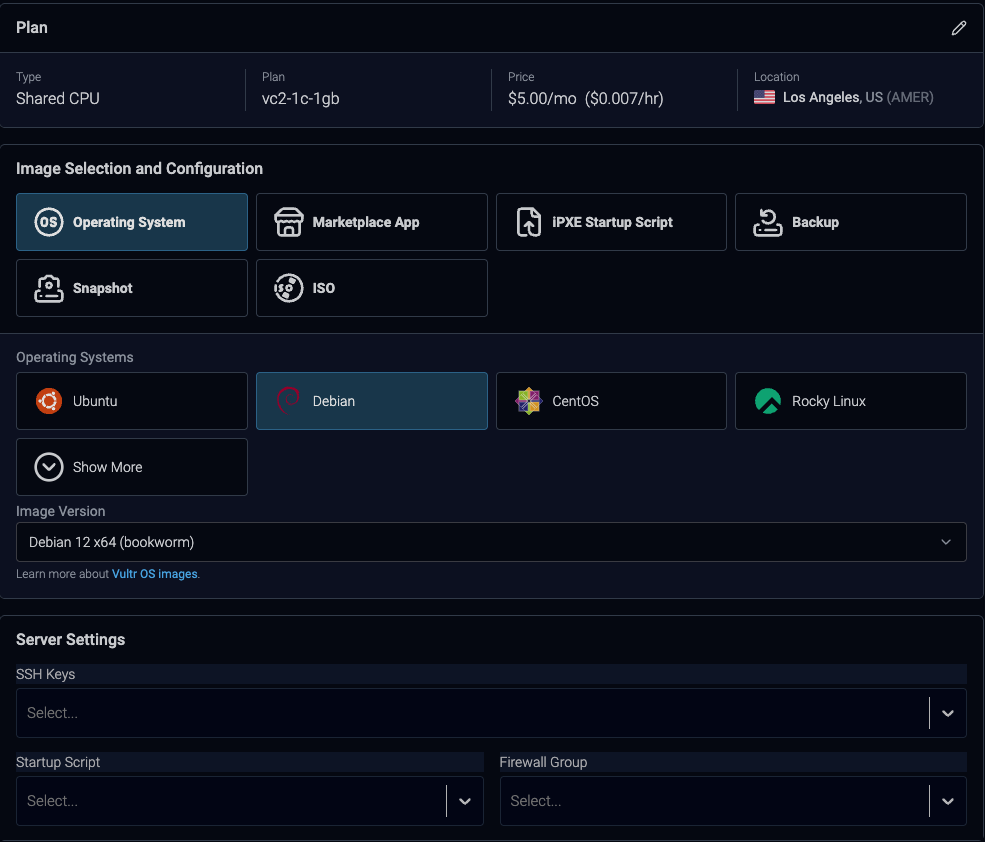
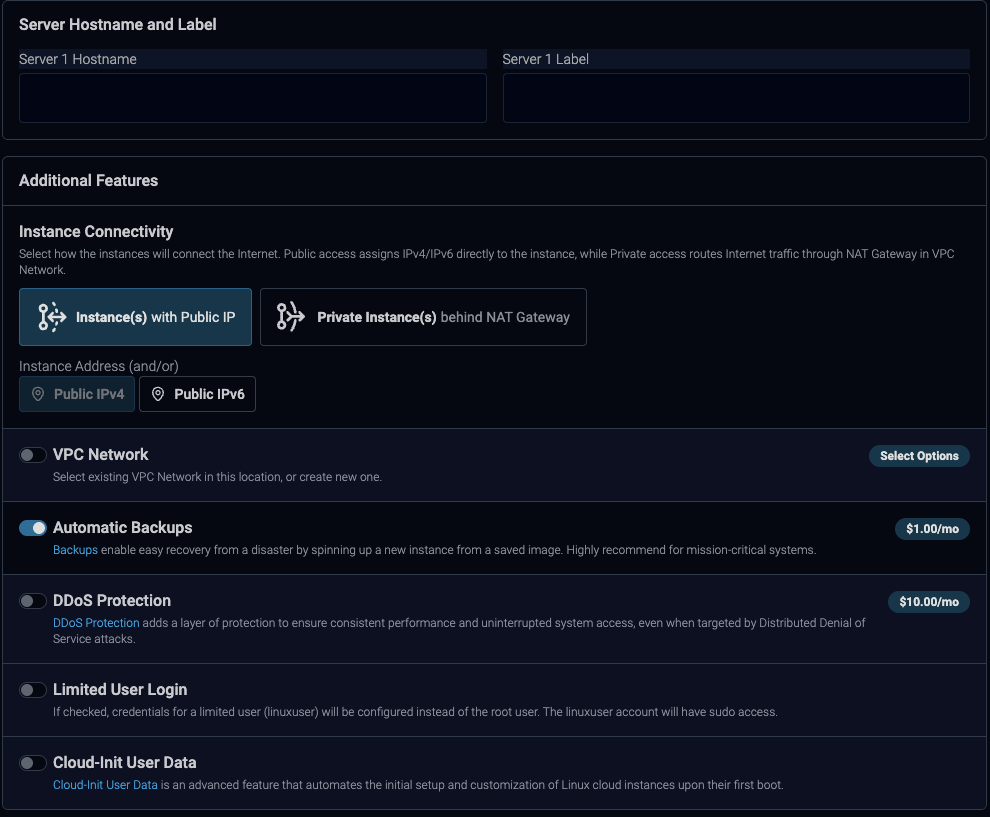
Leaving it off and it still uses cloud-init to configure the network. Here are the settings I use when spinning these up


Cloud-Init is off, but still being deployed.

Cool, call it cloud-init support. My point is that the scope is small: a check for /var/lib/cloud/instance before the rename, or a warning at install time. That’s different from managing cloud-init’s config.

I found an issue, and am trying to resolve it. Can we work towards that?

I have to use Sysadmin because many of my machines use commercial modules - I don’t even use the paid version. To be fair, this was not an issue on previous versions of the distro - only on machines that are deployed using a cloud image of Debian 12. Which makes sense because the previous distros were a fully encapsulated OS instead of a script that installs everything on top of vanilla Debian. The sysadmin module’s assumptions carried over from the appliance model, but the deployment model changed underneath. That’s where I’m trying to figure out if I’m wrong or if sysadmin should be improved based on the deployment.

Again, cloud-init can exist but not really control the network. Just because you don’t enable the user data for cloud-init doesn’t mean it doesn’t exist. I’ve been running this system since Jan 2025, it has network metadata in cloud-init and yea, it tries to bring up the interface, that’s it. But because /etc/network/interfaces always runs first and that is where the network is managed. The most cloud-init does it try to bring up an interface after it was already brought up.

I rebooted the system Jul 27th. I haven’t had a single network issue or losing any IPs from DHCP from Vultr. I have not experienced this issue even with cloud-init metadata being used.

last_update: Mon, 27 Jul 2026 05:17:56 +0000
errors: []
recoverable_errors:
WARNING:
        - Running ['ifup', 'enp1s0'] resulted in stderr output: ifup: interface enp1s0 already configured

I provided the ways it can be resolved. Don’t use Sysadmin, Don’t use could-init for this or Sangoma is going to have to update SysAdmin to work with/check for not only cloud-init but if it’s what is holding the interface data and managing the network (bringing an interface up/down isn’t management).

You want to dig into more? Provide some details and logs. Let’s see the output of cloud-init status --long and that should have the errors and warnings for when it tried to control the network last.

However, everything I’ve seen in my systems shows /etc/network/interfaces always runs first and then cloud-init runs after. So by the time cloud-init even just attempts to bring the interface up, it’s already up and configured. Are you seeing different behavior or the same?

Network interface configuration doesn’t belong in a FreePBX module. Should be torn out altogether. 2.5 cents

At least not the way it’s implemented now. Part of a bigger problem of trying to wrap sysadmin module around the spine of the firewall module. Feels very kludgey and fragile and causes all sorts of problems imo.

Not sure if this will help you, but I used netplan one time in order to disable the 2nd network interface. Netplan is designed to be a complementary tool to cloud-init and is probably the best way to override those settings.

netplan set --origin-hint disable-eth1 ethernets.eth1.activation-mode=off

netplan apply

This particular command will create a new disable-eth1.yaml file in /etc/netplan

cloud-init is installed as part of the FOG spice of the ISO (so was cloud-utils but that won’t be the case in the next version.) This package does a couple other nice things with the terminal and such, but otherwise it is not suitable for use as a marker/blocker to sysadmin module’s manipulation of the network devices. Further, dynamic network device changes are not handled well by FreePBX nor should they be. Anyhow, the ISO provides normalized naming via /etc/network/interfaces.d/pbx-renames file that you might wish to explore should you continue down this path.

So is the ISO now the preferred method of installation?

This is just how many cloud providers distribute IPs. As far as FreePBX is concerned, they are static and don’t change.

I will check this out, thank you.

Yeah and v17 requires the firewall module if you have sysadmin installed, which was not previously a requirement. We don’t use the firewall module, nor even the paid version of sysadmin - it’s only used to activate machines for commercial modules.

It apparently is to Sangoma. However, I think the install script that came with FreePBX 17 was the best thing to happen over the last few major versions. Finally, the ability to install a FreePBX Distro on any VM where Debian 12 could be launched, even if ISO installs weren’t available.

But the ISO does things a little differently, weirdly injecting some old RHEL-like patterns, and so there is a divergence.

Why was the ISO even brought back? We are in a cloud-first world. Want to install FreePBX on local hardware? Install Debian on local hardware, and run the script. I don’t get what’s so hard about that.

Network configuration in sysadmin makes about as much sense as having an fdisk screen there. To get to the FreePBX GUI and the sysadmin screen, you have to have the network interface up, no? Somehow you managed to do initial configuration of the network without a GUI.

Please make sure you really look into this before you do it. Netplan is a Canonical based solution. It was not made as a companion to cloud-init. Netplan was created to solve an Ubuntu only problem of having two network management tools, one for desktops and one for servers. The Canonical devs made Netplan work with cloud-init because it was standard for cloud deployments by the time Netplan was thought of. Ubuntu made it so Netplan was bidirectional, allowing Netplan to write to the network management tool and the network management tool to write back to Netplan so changes were also the in sync.

Since this wasn’t a Debian problem, Debian rejected pretty much all the patches Ubuntu made to NetworkManager for this. This means that Netplan is unidirectional on Debian. Netplan can write the configs to NetworkManager but NetworkManager can’t write back to Netplan.

This is completely irrelevant and has nothing to do with this problem. This does nothing but disable an interface. In @SamShomi’s post it’s clear this was to disable a secondary interface. This in no way solves any of the problems. In fact it creates another layer of problems by adding a third cook into the kitchen. @SamShomi is offering untested and unknown advice.

– System boots, cloud-init writes /etc/network/interfaces.d/50-cloud-init
– Debian’s ifupdown runs bringing up network interface
– SysAdmin hook fires, aggressively handles 50-cloud-init with renaming schemes.
– Random/next reboot causes conflict because 50-cloud-init now exists twice and ifupdown freaks out over it.

Introduce Netplan into the mix.
– System boots, cloud-init writes /etc/network/interfaces.d/50-cloud-init
– Netplan runs all YAMLs in /etc/netplan, applying it to a completely different backend
– Debian’s ifupdown runs bringing up network interface
– SysAdmin hook fires, aggressively handles 50-cloud-init with renaming schemes.
– Random/next reboot causes conflict because 50-cloud-init now exists twice and ifupdown freaks out over it.

Since Netplan uses the YAMLs to write either .network files to /run/systemd/network/ 0r /run/NetworkManager/system-connections/ depending on if systemd-networkd or NetworkManager being used. Netplan also doesn’t have a ifupdown renderer, so it doesn’t attempt to bring up the interface at all.

Netplan does nothing to help this issue or solve this issue. It just introduces a third cook and one that doesn’t even fully function right in the kitchen since Debian never accepted patches for it to work like it does on Ubuntu because it never solved a problem on Debian.

Why is this desired?

Please provide links to the weird parts. :zany_face:

The ISO wraps around the shell installer, indeed, depends on it, but overall takes fewer steps.

For example, a standard warehouse INTernal install on UEFI-aware physical hardware like Sangoma appliances attached to a DHCP-capable network requires three key presses at the GRUB installer menu:

  1. a
  2. i
  3. y

…then go get some :hot_beverage: and come back in 20-30 minutes to a fully installed, updated and patched system with all the latest available security fixes already applied.

If the network interface names are random, then it is hard to keep track of them in other places.

There’s other ways to organize the names, but generation of a /etc/network/interfaces.d/pbx-renames file is the path taken with the v17 ISOs thus far, such that during installation names are assigned for all the detected interfaces found at that moment (which works well for physical appliances, which is what the ISO was initially targeting):

For more background, the rename mac/DE:AD:BE:EF:12:34=pbxethX approach makes use of changes debated and eventually adopted in Debian 9 in 2017 as documented in the buster interfaces man page INTERFACE RENAMING section. That section doesn’t appear to have changed since then – YT just RTM in sid – so doubtful that another course will be plotted soon.

Anyhow, to bring it back to OP, if whatever custom networking you are committing jives with the above approach, then you’re probably going to have a better time than switching to whatever the flavor of the month in network device naming schemes is. :ice_cream:

Say what now? Interface names are not random just because they don’t do eth0 or eth1. Debian has a very specific naming feature

  • en = as in eth ie ethernet
  • pN = pci bus number ie p0
  • sN = slot number like s3

So you end up with enp0s3 which tells you more information than eth0 or pbxeth0. Additionally that name never changes and you could pull and or store that information at any point via SysAdmin. Even you own code acknowledges it.

So basically you know the name will never change but you change it anyways? What kind of logic is that? “It will always be enp0s3 but let’s make pbxeth0 for S&G’s”

Well this explains it all. Sangoma created a solution for a problem that never existed and the solution causes more problems than it fixes. At least it tracks.

For the record, if you don’t use the ISO then there is no renaming of the interfaces to pbxeth* which completely hurts the whole “interfaces are random” logic.

So I would say the preferred method, as the system admin, is install Debian 12 on your own and run the installer script. The Sangoma ISO is problematic and causes more problems than it solves.

Allow me to clarify: the defaults are gibberish that looks arbitrarily random enough to be confusing to some people (YT included!)

What if you update the BIOS, swap a NIC around to another slot, change PCIe lanes, add a hardware telephony card – while there’s still time, buy more Sangoma T1 cards ASAP! :wink: – etc. ?

Maybe then you might agree that there is some chance that all the NICs get renamed because now there is something else different that the BIOS is reporting in at the previous “slot”, or, potentially, oops your PBX is now answering DHCP requests from your customer’s PCs because something higher up the stack decided to stick with the capriciously-assigned enp0s3 name instead of a more reasonable choice like pbxeth0 and your other config files all need a touch now because you didn’t move the cables around correctly (which gets to the question of correctness w/r/t how the BIOS is doing its thing that appears at minimum potentially undocumented magicrandomness) ?

Potentially, some day, sure! For now, you can hand edit one file when necessary: /etc/network/interfaces.d/pbx-renames. Although just by that file existing with the ISO (or a similar file via whatever you do non-ISO) and providing a lock of sane-names-to-MACs makes your network setup relatively impervious to BIOS-inflicted “slot” changes (unless maybe you are overwriting MACs in the BIOS :thinking: …)

That particular code comment is a description of the after state not the before state because network names assigned by kernel/udev/systemd are NOT sticky based on MAC but on the “bus” and “slot” as you so eloquently described earlier in your post comment (lack of mention of BIOS activity in said comment was noted.)

Any system with several NICs like enp0s3, enp1s2, and enp4s0 is much less pleasant to look at compared to pbxeth0, pbxeth1, and pbxeth2 – doubly-so if the stickers on the box right above the Ethernet ports are printed with little words like LAN0, LAN1 and LAN2 (as the Sangoma appliances are.)

So to be clear here, this only happens via the ISO which even you admitted was more geared towards hardware based systems. As well, cloud-init doesn’t exist on hardware based systems or any non-cloud based deployment. The plain ole Debian install doesn’t have cloud-init.

When FreePBX v17 on Debian 12 was released and the ISO didn’t exist this wasn’t a problem that needed a solution. This is something that only existed after the creation of the ISO we were never supposed to have anyways. This is a non-issue for non-ISO users.

See the whole point of not having the ISO to begin with was because of the shift to virtual/cloud deployments. The spin up Debian 12 server, login, wget install and run install was a much better method and solution for a modern deployment.

The ISO is clearly designed around hardware appliance based installs over any other install. Otherwise some of the logic behind it would have included the fact FreePBX is getting deployed more on virtual/cloud environments versus hardware.

Basically, the ISO shouldn’t be used for vm/cloud installs if people don’t want to worry about unneeded uckery happening on the system.