mrosu
(Mihai)
1
@mwhite
Hello,
I was finally able to get Sangoma Phone installed and connected to our FreePBX.
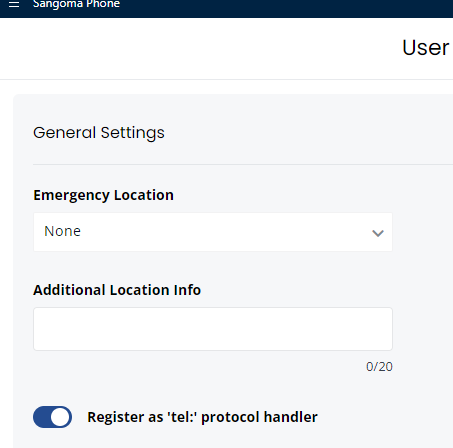
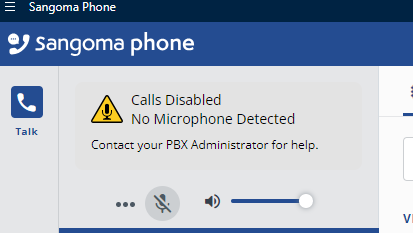
However, when I tried to set the settings to make calls with a deskphone, I just cannot find those settings like when you showed me on your posts:
Sangoma Phone version 4.1.0
mwhite
(Michael White)
2
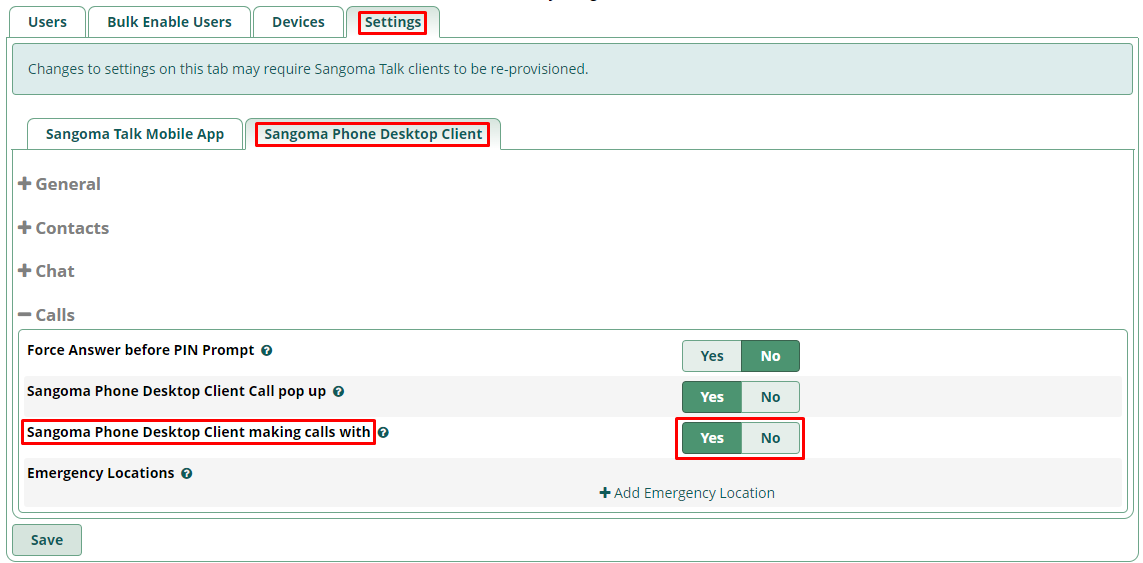
Hi @mrosu - These features are enabled in the Sangoma Connect module. In FreePBX
Browse to Admin → SangomaConnect → Settings tab and enable “Sangoma Phone Desktop Client making calls with”
Like so:
Please let me know if you need anything else – Thanks for using FreePBX!
mrosu
(Mihai)
3
Hey @mwhite - Ok that did it, and I was able to test it successfully. Thank you again!
mwhite
(Michael White)
4
Anytime - glad I could help!
Cheers