Currently im setting up an FreePBX for a project, till now everything started working i can make intern calls the names are set etc. im trying to setup the Inbound Calls and have problems with that.
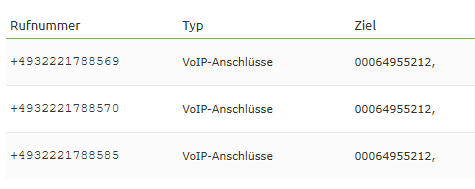
I requested an Demo SIP-Trunk for now (the provider says the Demo-Version hat the same functionalities as the Payd one) and got sent 3 Phone numbers which are located on the same number (check picture).
Im trying to setup Phone 1 with the ending 569, Phone 2 with 570 and Phone 3 with 585. While i put the phone number as DID and try to call it it says phone number unavailable, i’ve tried setting it up with and without the + its still the same results. It only works if i put the 000649… as the DID but then i can only use one phone ? I cant use the same number as an DID again.
I have contacted the Provider with some help and he told me i need to split the phonenumbers on my PBX, i dindt find any option which could do that. On my research online i found that the phonenumbers are missing in the SIP-Header on the SIP-Trunk ? correct me if im wrong its my first time setting up and PBX
I appreciate every comment and every help from you to help me
Set the Context for the trunk to from-pstn-toheader
and set a temporary Inbound Route with DID Number and CallerID number both left blank (it will show as ANY), with Destination a working extension.
Make a test call in and look at the CDR for the call. If the called number appears in some format, you can use that to route your three DDIs to the respective phones.
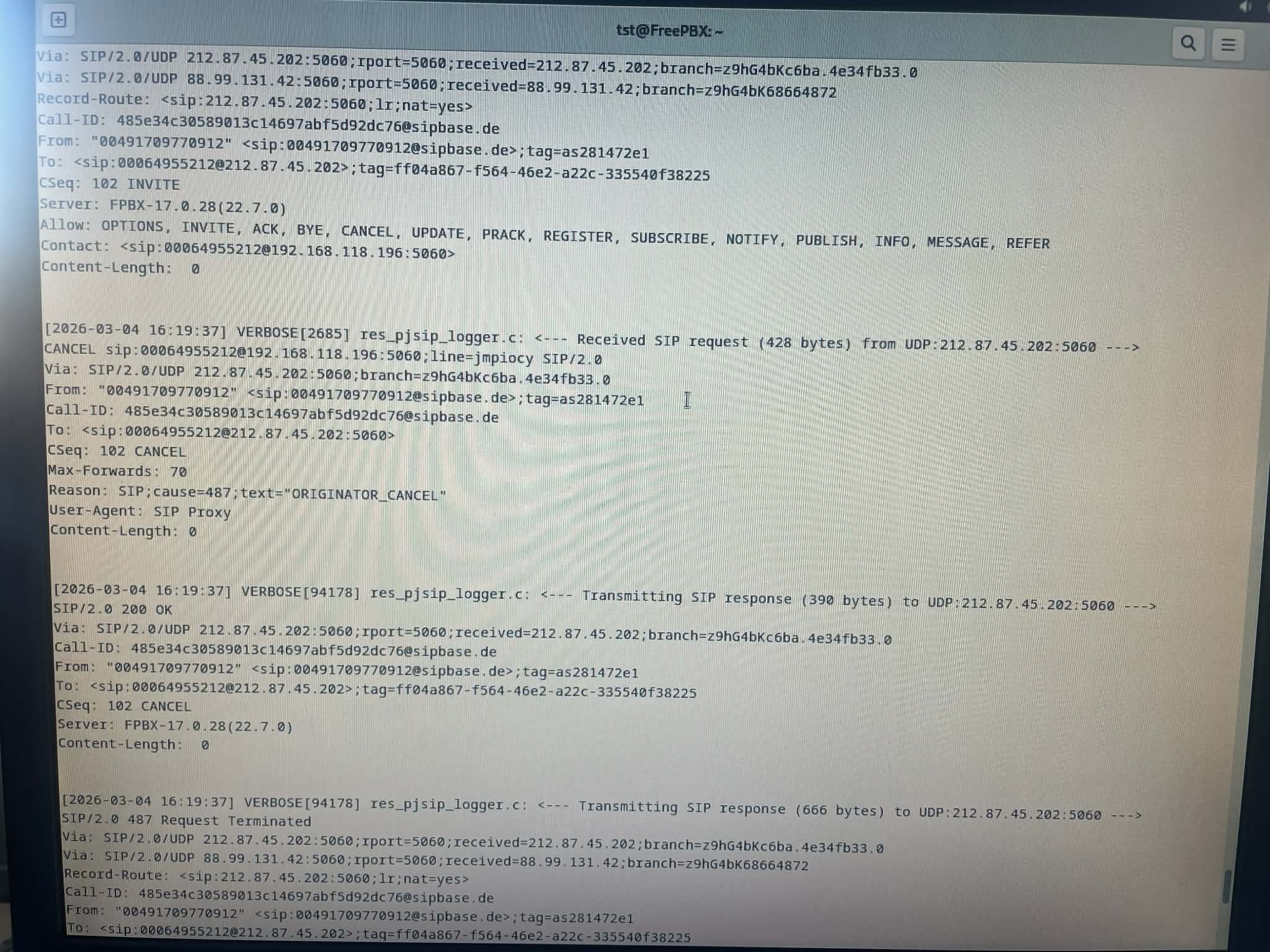
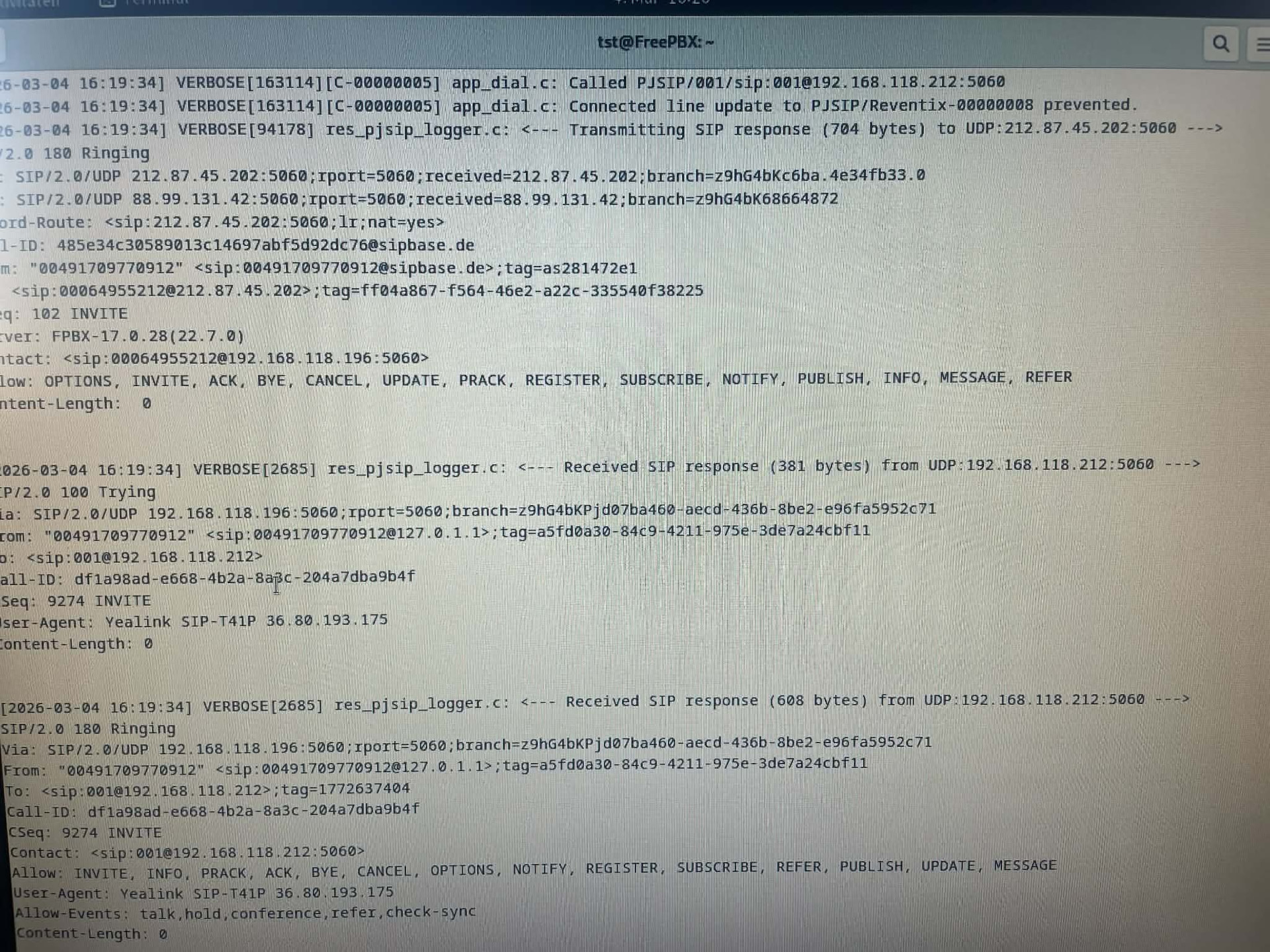
If not, turn on pjsip logger, make another test call in, and see whether the incoming INVITE contains the called number anywhere.
im not sure if did it correctly, becouse i cant really open the command prompt on my server using fwconsole or asterisk commands its says command not found
if i try to connect it via putty my root password gets rejected everytime
message me if these screenshots arent this what you needed
You have 3 phones. You already went to “Extensions” in the FreePBX GUI and defined those 3 extensions. Then logged into each phone and set up the credentials on the 3 phones, and you can call from phone to phone already by using their extensions. Yes ?
Calling from phone to phone using extension directly does not require a sip trunk. Once you know that works, then you know that internal call processing is working.
Next, You defined the inbound routes ?
did you define the Trunks ? The trunk is what makes the connection to the provider.
The Inbound Route is used with the trunk.
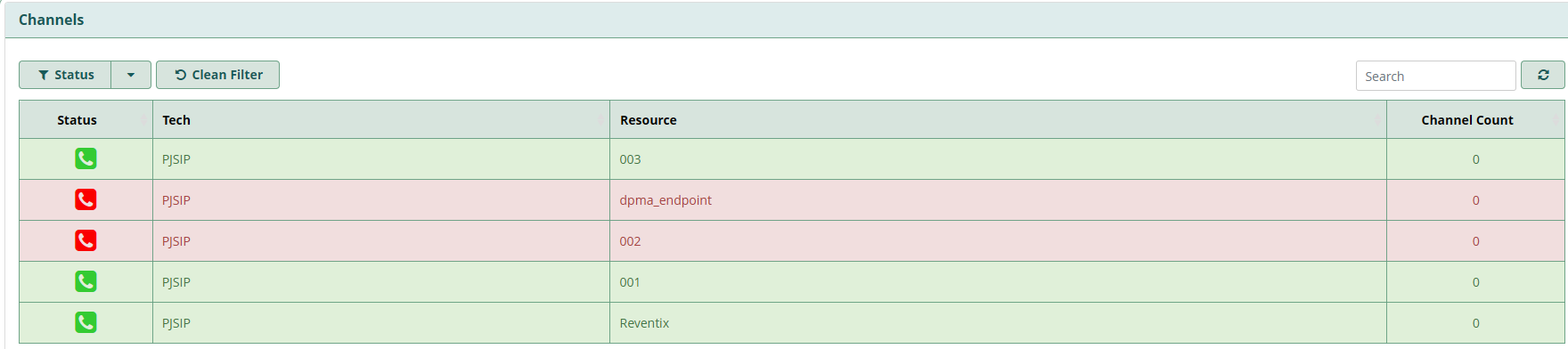
If you go to “reports” > “"asterisk Info” Does the top “Channels” section show that the extensions and the trunks are registering properly ?
i don’t really know if this is what i need honestly, i’ve read this online that the phonenumbers might be missing in the Header of the SIP-Trunk
As i already described i want P1 ending on 569, P2 570, P3 585.
If i try to set the Phonenumber as DID it doesnt work as the number isnt avaible it says i need to use the 000649… Number which only works for 1 Phone.
Thats what im currently struggling with, the provider told me i need to split the numbers on PBX
Did you get 3 different login-details for the 3 external phone-numbers?
If this works like Deutsche Telekom, you need to setup 3 single trunks (one for each external phone number) and 3 inbound routes (each catching the external phone-number from the respective trunk).
In fact, 00064955212 is never a possible external phone-number in Germany. Something is totally mixed up.
PJSIP-Settings, general : Usually the phone-number is the Username, starting with +49, secret as given by the provider, it doesn’t matter whether or not is is different or the same for the 3 external numbers. The second line however has to have a different Username = other phone number, but maybe the same secret. Same with the third line.
PJSIP-Settings, advanced: If no blank set contact-user the external phone-number with +49, from domain the URL, you got from your provider, from-user again the phone-number with +49
Take a look whether or not the trunk is going online and is connected.
If you look at the trunk-config fields, there is no DID which can be configured. Maybe you are talking about extensions. But that’s the end of the data-flow. For the extensions you give them an internal extension-nuber 60, 70 and 85, but better define them as 10,11 and 12. I defined the extensions 0-9 for phones on the ground-floor, 10-19 on the 1st floor and so on. Each extension needs an own outbound route if you want them to use different trunks. Each extension needs an own inbound route, which routes inbound calls from a trunk to a specific extension.
Sooo, i’ve googled a lot and with the help of various ai’s i managed to fix my dumb problem.
Basically the problems was with my SIP-Header, it was shows in Remote-Party-ID.
Changing the SIP-Header to To-Header fixed my problem.
Thanks a lot for the help you’ve tried to give a noobie