I am having major problems trying to install a fresh installation of FreePBX 17 on Debian 12 using the latest script on GitHub. Out of the 15 times I’ve tried installing it, 95% of the time the script never finishes. And even the one or two times it did, I am still left with a broken install. The webpanel will work for 37 seconds before it crashes and gives me a browser timeout or other error. This is not long enough to fill in the admin data at the beginning. The only thing that will bring the website back up to partially accessible is rebooting the machine. It never gets any better.
SSH broken.
Once I run the installer I can’t do any trouble shooting because my perfectly working SSH setup with public/private keys doesn’t work. I tried editing the sshd_config file to allow passwords, but it still won’t allow me to access the machine to look at logs or do any troubleshooting.
iso install
While it “works” it is not viable either. Upon attempting to install from the .iso, I was able to get the system to run, but it A) didn’t ask me for a username or password; or to set the root password. This means I could not even log into the console, let alone use SSH. B) The installer took a 200GB partition and made a RAID1 partition on it of about 20GB. I don’t want to run RAID 1 on top of my ZFS pool.
Activation
I unregistered my original server and only had on activation left that I burned up on an install that was so corrupted, I could not unregister it if I had wanted to. So now no System Admin module or all of my other modules are gone/unavailable too. I placed a support case with Sangoma, hopefully I did it in the right spot.
I’ve spent two days on this and have gotten nowhere. My environment is a Proxmox VE VM (although for kicks I tried a CT container once and it behaved the same way.) During the little time the web interface is up, for about 37 seconds, I am getting Ajax errors and sometimes SQL errors that bring up a page of their own in my browsers. Nothing wrong on my end as far as firewalls, etc. I know because I still have my deactivated original VM that is corrupted and it runs fine as far as interacting with the webpanel and SSH with private/public keys.
This is so much I don’t know where to start. Do the Dev’s actually test this stuff on a real Debian 12.11 server or VM before releasing the script? I followed their instructions exactly every time and am always met with failure. Any help would be appreciated.
IN1CLICK by @20telecom might give you a clue for what’s going wrong, while it carries out the necessary pre-flight checks. If it fails, then you might see why. It’s well worth giving it a go, seeing as you keep running into difficulty anyway. Something is probably preventing FreePBX from being installed smoothly.
Please check out the README file first and then run this command on a clean Debian 12 system as root:
Thank you @kierknoby I will read that and give that a go. @BlazeStudios, it’s weird it just refuses to connect after install. I just get a blinking cursor until it times out and says connection refused. I was wondering if FreePBX installs its own SSH package and that was getting hosed. I just don’t know what to think anymore.
Yes, I do have console access, but don’t know what to look up. I had been opening a second SSH instance and tail -f the log it makes while installing. Never saw anything unusual with that at all.
The FreePBX firewall may be misconfigured or fail2ban is blocking you because it sees something suspicious. While you are setting things up, disable both.
@billsimon That was the issue. It’s been up for a half an hour. The firewall was already disabled; I did that when I first started up before the crashes. But fail2ban is certainly the culprit as I can now log in to SSH without issue, and the web interface works fine too, unlike before. Soooo… The next question is what do I do about it? Once Sangoma gets my request to reactivate my deployment ID, when I go to set it up, I’ll want fail2ban running at one point or another. Any ideas on the root cause of fail2ban restricting me? Also disabling fail2ban does not persist through a reboot. Again, at one point I’ll want it turned on. I could have no idea why it is malfunctioning.
@kierknoby I ran the script and it gave me my current, now running result. The only thing it complained about was iptables, which I knew was not installed yet. Other than that it did everything it was supposed to but after rebooting I couldn’t use SSH and it was failing on the web interface as it was before - that is until disabling fail2ban completely.
Thanks so much everyone so far, as this is finally progress after 2 days of utter aggravation!
In the ISO, the UPGrade spice level lets you choose your own password for the “sangoma” user account. INTernal spice sets it to SangomaDefaultPassword. The other spice levels (PUB,FOG,OSO) auto-generate passwords near the end of the initial OS installation, just before the first reboot.
Root login is by default disabled across all FreePBX v17 ISO install spice levels, but the first/primary user account is automatically granted sudo privileges.
Was there another disk attached that was 20G ?
Yes, both. But the installer – and the ISO, which wraps the installer – represent only part of the issues that one might encounter. There are other issues that can be caused by the interaction of different FreePBX modules that are installed as part of the overall process.
No.
The configuration of fail2ban can be complicated. Lockouts are not uncommon. Taking advantage of the five minute window immediately after a reboot when shields are down is advised
I used INT and SangomaDefaultPassword did not work.
Nope, 200 GB regular Debian 12 partition table from the installer.
I will take this under advisement. It wasn’t an issue when I last installed FreePBX17 right after release…
I am aware of the reboot twice in 5 minute feature and this did nothing. Only running:
Worked.
I will look into the fail2ban logs and see if I can determine anything. My prior install had it enabled completely and had no issues with it. It just blocked script kiddies and evil-doers, not me.
The firewall is enabled now. Unfortunately, any way I try to enable fail2ban I end up with the same symptoms, failed SSH and broken web interface. I tried with and without the fail2ban bypass; neither did anything about the problem.
After numerous attempts I have both the firewall enabled and fail2ban. I wish I could post here what I did to get it working for others, but I have no idea at all. I just started randomly trying things that occurred to me to try. Upon total failure, I just restored a snapshot and tried again. Make no mistake, this process was about as “buggy” as it gets, but now I am on to getting a Let’s Encrypt Certificate installed which would be another thread here entirely. Not to mention that Sangoma’s support can’t fix my activation/deploymentID problem in one whole business day; so I have no sysadmin module or any of the others I have paid for…
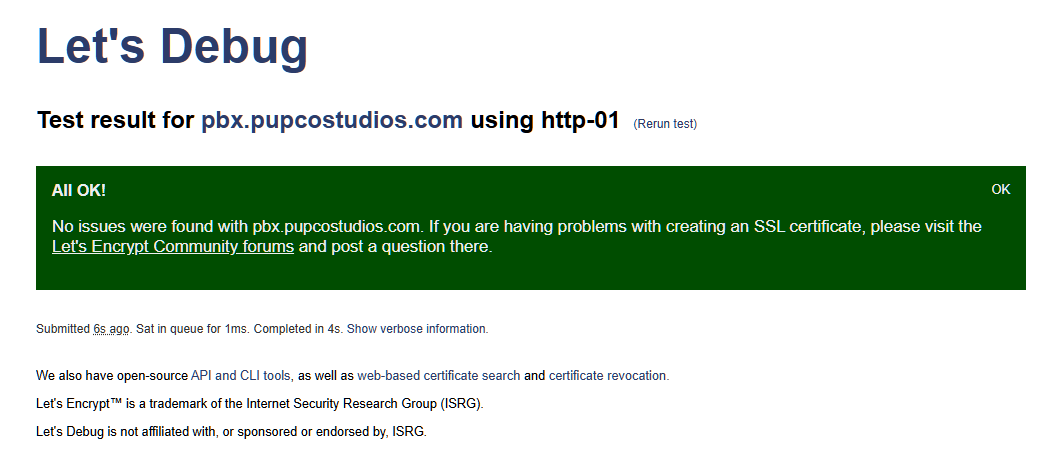
I followed the instructions properly and every time I get this error when trying to generate the Let’s Encrypt Certificate. Let’s Debug gives me a green all okay response so it should be reaching the server. Here is the error:
root@pbx:~# echo|openssl s_client -connect pbx.pupcostudios.com:80
CONNECTED(00000003)
40D7EE0CA77F0000:error:0A00010B:SSL routines:ssl3_get_record:wrong version number:../ssl/record/ssl3_record.c:354:
---
no peer certificate available
---
No client certificate CA names sent
---
SSL handshake has read 5 bytes and written 322 bytes
Verification: OK
---
New, (NONE), Cipher is (NONE)
Secure Renegotiation IS NOT supported
Compression: NONE
Expansion: NONE
No ALPN negotiated
Early data was not sent
Verify return code: 0 (ok)
---
 IN1CLICK by