How to create inbound trunk without knowing source IPs for Match (permit) in PJSIP

Hello,

I have a service provider that will be sending calls (INVITE) to my FreePBX but they don’t know the source IP they will sending their calls from.

Initially i created a PJSIP trunk and added the first IP i captured from them in the SIP Server of the trunk, then i started receving the following error:

[2025-12-10 18:30:14] NOTICE[19805]: res_pjsip/pjsip_distributor.c:670 log_failed_request: Request ‘INVITE’ from ‘“17040000000” sip:17040000000<@34.61.xxx.>xxx’ failed for ‘34.61.xxx.xxx:55976’ (callid: XntbvYIVex1Huu59WYFXsrAnltJ) - No matching endpoint found after 5 tries in 0.245 ms

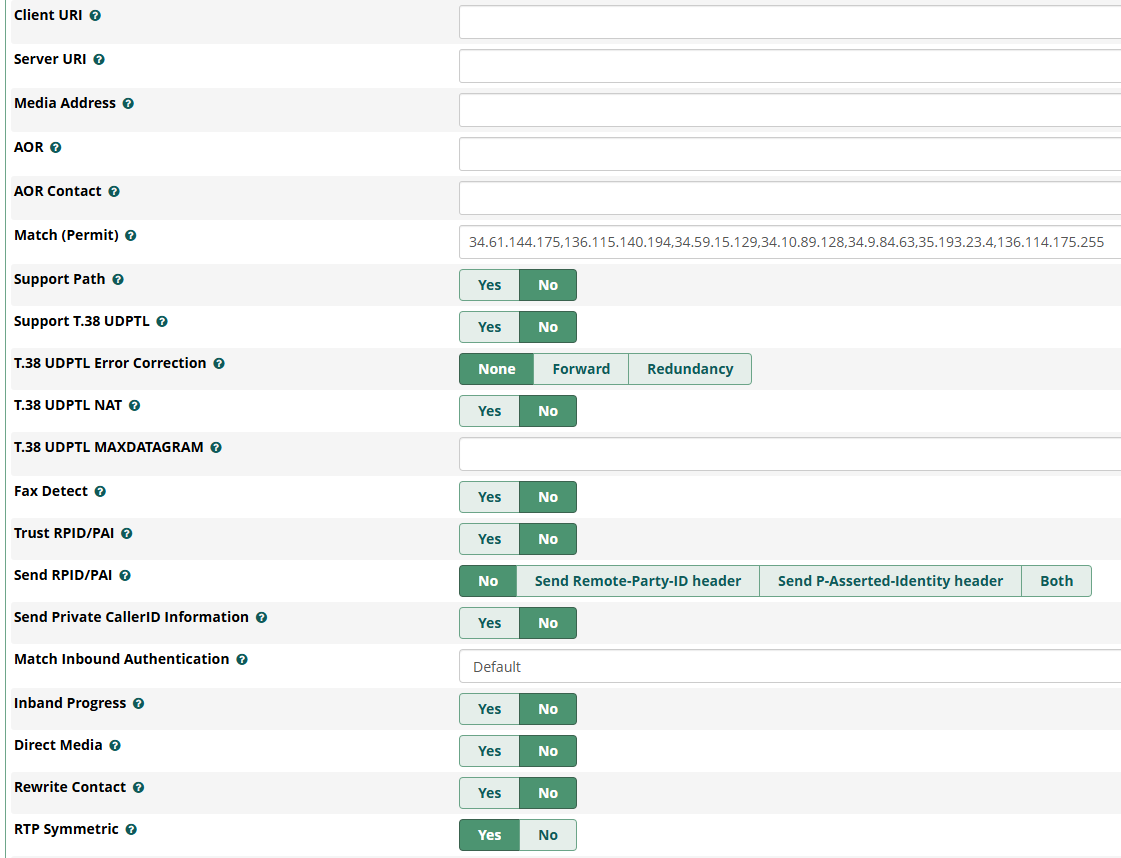
I noticed the IP was different and added both to the Match (Permit) field in the Advanced Settings and everything was fine until a new IP showed up and the same error “No matching endpoint found” was recorded.

So far i have added 7 IPs but the this service provider is so bad that they cannot answer the question of which are the possible IPs that they can send the calls from and they range they have given doesn’t match any of the 7 IPs i have seen so far.

So my question is: is there a way to create a trunk that will accept the INVITE from any IP but i will be able to match it to an endpoint so the call will get in and then i can do my magic on using the Inbound Routes and Custom Destinations as i have implemented?

BTW, the “To” header will be a fixed number potential values, so i’m hoping i can configure the trunk based on that. In the example below that would be the value “+16460000000

Here is a snipet of the SIP conversation:

<— Received SIP request (1208 bytes) from TCP:34.61.xxx.xxx:55976 —>
INVITE ``sip:[email protected]``;transport=tcp SIP/2.0
Via: SIP/2.0/TCP 34.61.xxx.xxx:55976;branch=z9hG4bK.qTa9Rf8fCAVepfdz;alias
CSeq: 5 INVITE
Call-ID: XntbvYIVex1Huu59WYFXsrAnltJ
Content-Length: 288
To: <sip:[email protected];transport=tcp>
From: “17040000000” <sip:[email protected]:5060;transport=tcp>;tag=SCL_Z9zesLNZY7US
Contact: <sip:34.61.xxx.xxx:5060;transport=tcp>
Content-Type: application/sdp
Allow: INVITE, ACK, CANCEL, BYE, NOTIFY, REFER, MESSAGE, OPTIONS, INFO, SUBSCRIBE
Authorization: Digest username=“xxxx”, realm=“asterisk”, nonce=“1765409414/1d7943dd0b5421cdc89a800164e41e86”, ``uri="sip:[email protected]``", algorithm=md5, cnonce=“4d350260d00d7f50”, opaque=“06fe2e8d632bfc11”, qop=auth, nc=00000001, response=“b40e1369e691e54e7efaf44677a2870b”
X-Caller-ID: 17030000000
X-Conversation-ID: conv_6601kc59k46keq79vc143n0wmdmp
Max-Forwards: 70

Please let me know if this is possible.

Thanks

Camilo
Try setting Match Inbound Authentication to auth username and Authentication to Both.

Note the reason this may work is that the provider is doing something very unusual for a provider, and the OP has set something unusual in their configuration for the provider that reveals this. It’s not a general solution for not knowing the valid address ranges. (The provider is using Asteisk and has set outbound_auth.)

As not providing the valid address ranges could be considered a security issue (people often want to white list the provider), the OP should be looking for a provider that knows what they are doing.

2 Likes

@ctorress What provider are you using and can you show your trunk config?

Given the unusual provider settings, and their lack of understanding of their own configuration, I think the OP should verify that they are actually getting 401 challenges for authentication. It is possible that the provider has configure only outbound_auth, when inbound auth (just auth=) is more important for avoiding toll fraud.

1 Like

Hence me asking for the provider since the OP is in the US. Might give us a clue on what is going on.

Clues point to it being ElevenLabs.

Shade cast on them for “not knowing what they are doing” seems a little premature.

Responding to PBX auth challenges actually makes plenty of sense especially if you have a pool of dynamic SIP servers in Google Cloud and can’t or don’t want to maintain a static IP set.

Thank you guys for jumping on this to help.

To clarify, yes, it is ElevenLabs and yes, they don’t know what they are doing. I understand they might not be able to control the IPs, but the range they are giving is not even close to what they are actually using and it is really hard to get a straight answer as i’m not their customer, my customer is their customer which makes the communication even more difficult.

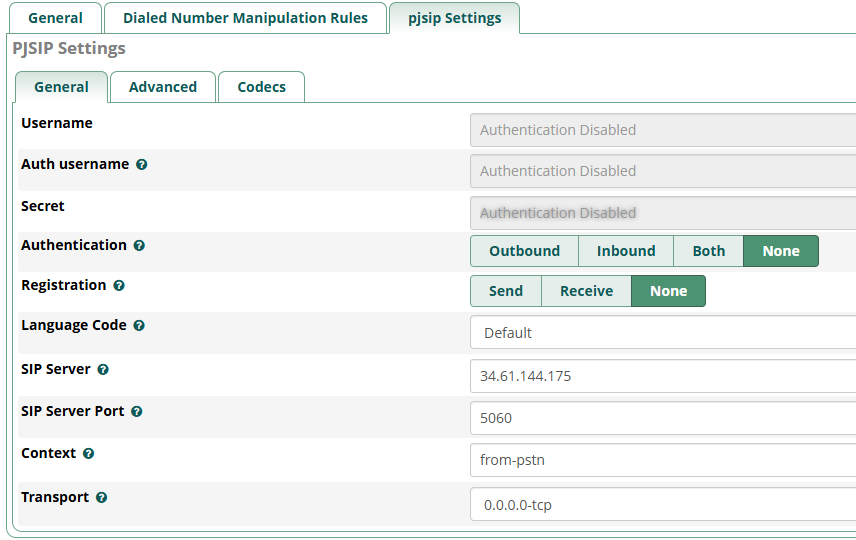
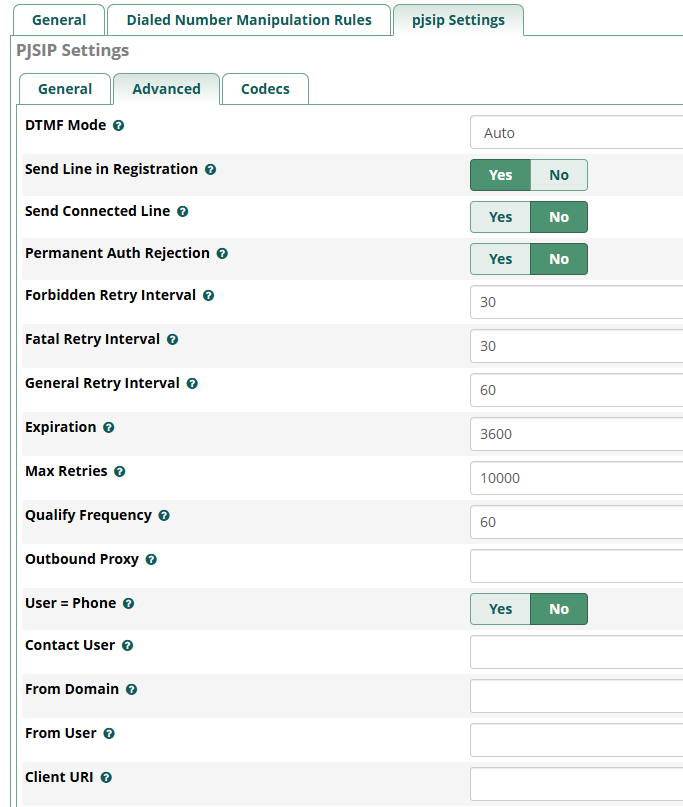
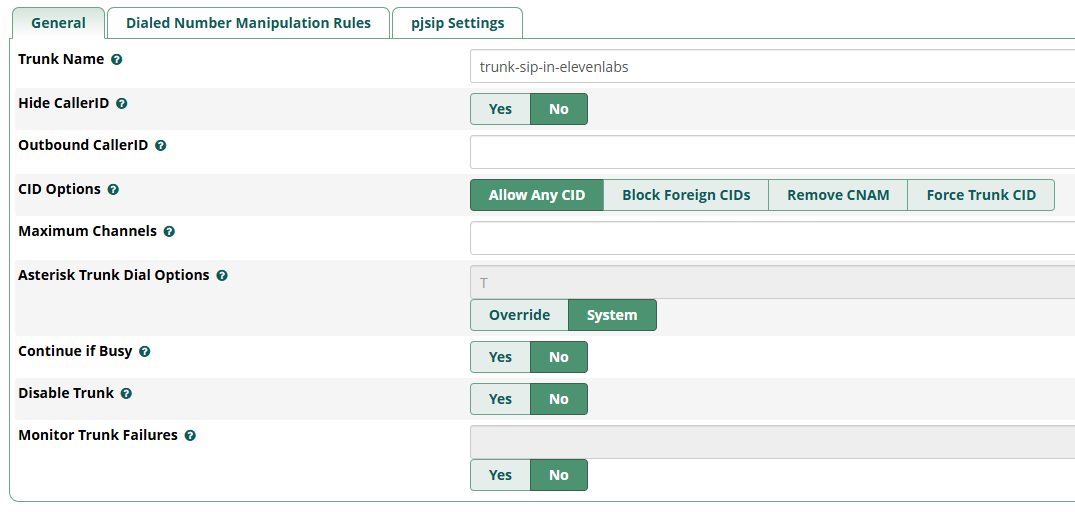
The current setup of my trunk is as follows:

The rest is as default.

I did notice that they are sending Authorization using the Extension i provided for them, but i keep getting the Not Matching Endpoint Found and right after the Failed To Authenticate errors unless i keep adding their addresses to the Match (Permit) field.

Ideas?

Unsure what you mean by this. But if they are willing to authenticate to you, here in the trunk set Authentication to Inbound and set a username and password there and provide those credentials to ElevenLabs to use when connecting to your PBX. Then you will not have to set up a Match list at all.

@ctorress Did you set the outbound auth in your trunk setup on Elevenlabs side? If you did, then they expect you to accept the auth and you aren’t.

Also as far as the Match field goes, you can enter sip-static.rtc.elevenlabs.io in the Match field and it will resolve the domain to the IPs. They have a /24 which means you either need to know the full range so you can do x.x.x.x/24 in the Match field or add 256 IPs individually (which you can’t)

It’s all covered Here in their docs

@BlazeStudios since they are sending the calls to me, this was the opposite setup, i needed to do the Inbound Authentication.

@billsimon thanks for your comment, it made me realize where i needed to make the change:

My customer had asked for user/password to give them so i had created an extension and gave it to them the user/password. I was not aware that they were using that to send over the authentication when transfering the call me. After i reviewed the traffic i saw the extension coming in and you made me realize that it was sent for inbound authentication.

I changed the trunk for inbound auth and the password to what i have give and renamed the trunk to match the username, removed the Match for the multiple IP addresses and the only final change was to set the “Match Inbound Authentication” to “Auth Username” and now the endpoint is matched and i can get the call to my inbound route.

Thanks everybody for your help!

Camilo

This topic was automatically closed 30 days after the last reply. New replies are no longer allowed.