I have been working on a special project for about 2 years now, which is an outdoor public phone booth with a “live” working coin op payphone.
The entire system consists of:
1 phone booth
2 payphones
3 rotary phones
5 grandstream 802
beelink minis running debian 12
freepbx 17
3rd party trunk provider (static ip)
I had everything setup and working… until… I did a OS update of debian from bookworm to trixie…
Wrecked the whole thing… but that is on me.
I performed an entire new setup on the beelink mini with the latest FreeBPX 17 installer scripts… which looked like they worked well.
Then I did a restore of my backed up FreePBX 17.
Unfortunately, all attempts to connect, register to the PBX are met with this error:
48890[2025-11-28 17:14:00] NOTICE[52430] res_pjsip/pjsip_distributor.c: Request ‘REGISTER’ from ‘sip:[email protected]’ failed for ‘192.168.1.7:41343’ (callid: redacted-id..) - Failed to authenticate
48891[2025-11-28 17:14:00] NOTICE[59392] res_pjsip/pjsip_distributor.c: Request ‘REGISTER’ from ‘sip:[email protected]’ failed for ‘192.168.1.7:41343’ (callid: redacted-id..) - Failed to authenticate
48892[2025-11-28 17:14:01] NOTICE[59392] res_pjsip/pjsip_distributor.c: Request ‘INVITE’ from ‘sip:[email protected]’ failed for ‘redacted-ip:53994’ (callid: redacted-id) - Failed to authenticate
48893[2025-11-28 17:14:01] NOTICE[52430] res_pjsip/pjsip_distributor.c: Request ‘INVITE’ from ‘sip:[email protected]’ failed for ‘redacted-ip:53994’ (callid: redacted-id) - Failed to authenticate
I have temporarily shut off the FreePBX Firewall and Fail2Ban to troubleshoot and test connections.
Any thought on what I might do to remedy the situation?
FreePBX is not yet supported on Trixie. I’m surprised you got it to work as much as you did. Stay with Debian-12. Were you running chan_sip or chan_pjsip on the original system? If chan_sip, upgrading to FreePBX-17 should have moved them to chan_pjsip. Check your ports the phones register to in the Advanced > Asterisk SIP Settings section.
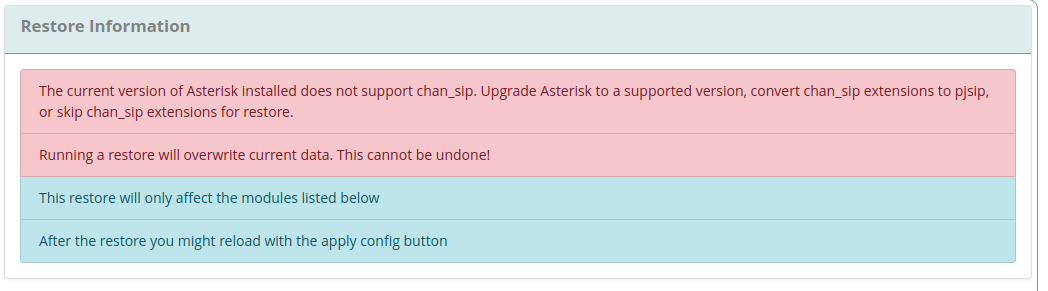
chansip is deprecated, if you run the restore, it will convert chansip to pjsip. I’ve done that and it worked fine. I believe if you switch to an older version of asterisk, you can still use chansip extensions.
That’s what’s vexing me. I had previously used all pjsip, and those that were missed should have been automagically converted. However, nothing will authenticate properly.
It seems you have a very small system so it might be better to stare and compare and duplicate the trunks and extensions, etc., on the new system.
The errors shown on the new system say the extensions cannot authenticate. It means either the port they are trying to register to is not the port on your system or that the extension, authentication ID or the password are not correct. You may need to change your setup in the ATA’s as FreePBX-17 is a bit more finicky with Grandstream ATAs. If you want to keep trying to restore the backup, check these things below.
In the Settings > Advanced Settings set it like this:
Check to see if the port your extensions are registering to is the same as the PJSIP port on the new system. If you change the chan_pjsip ports, you must restart Asterisk.
Thanks again for all the replies!!!
This one is a challenge for sure. Spent all day on it, and learned a ton.
I tried setting up a brand new extension (9000) and set up a Zoiper Softphone on another computer to test… to no avail unfortunately.
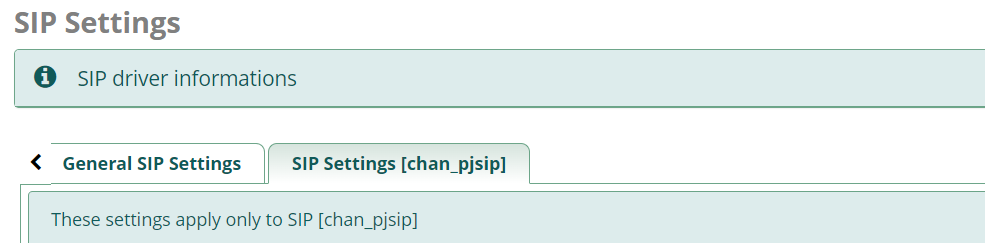
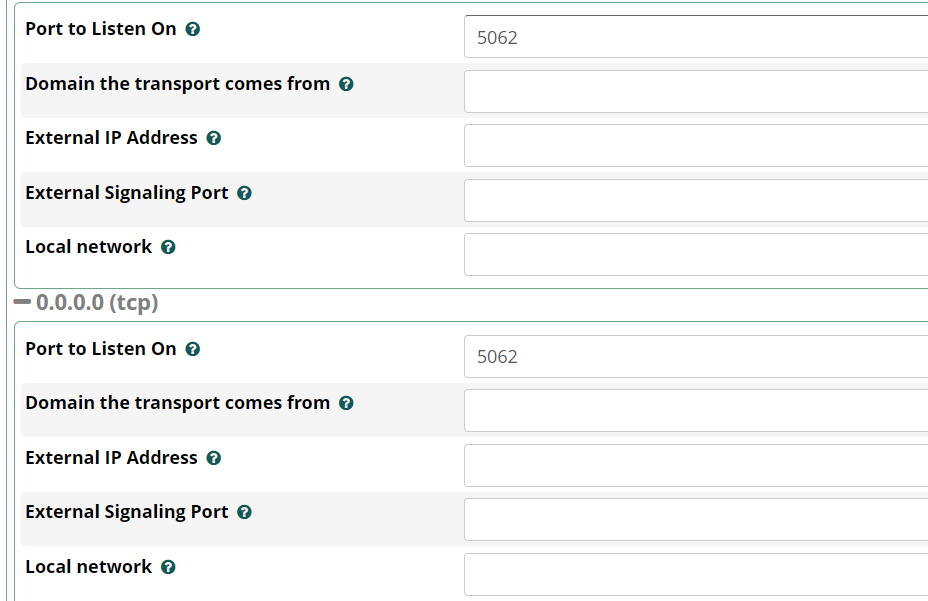
PJSIP is set up to listen (UPD) on port 5060 (see image below).
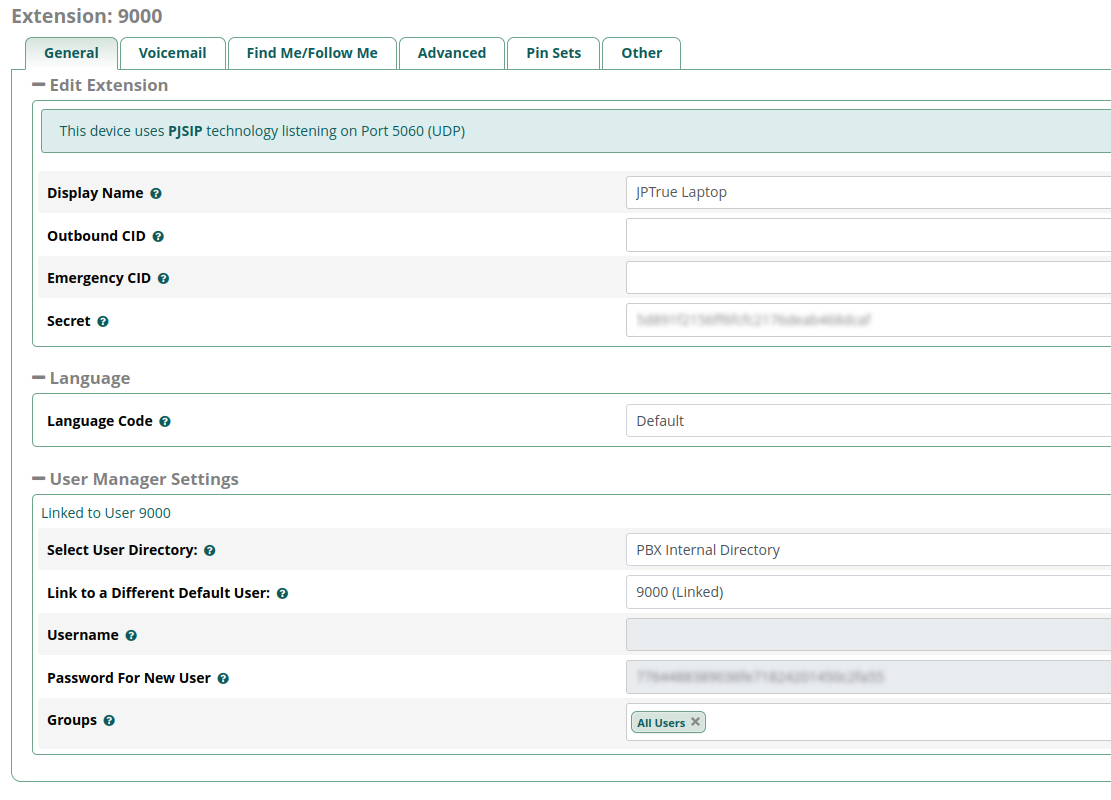
The 9000 extension seems to be correct (see image below).
I know the user/pw are correct because I can log into the User Control Panel.
However, all the sip connections including the new Softphone are failing authentication.
Also turned on debugging logs:
053286[2025-12-03 23:46:51] VERBOSE[3043] res_pjsip_logger.c: <— Received SIP request (708 bytes) from UDP:192.168.1.7:5060 —>


 and learned a ton.