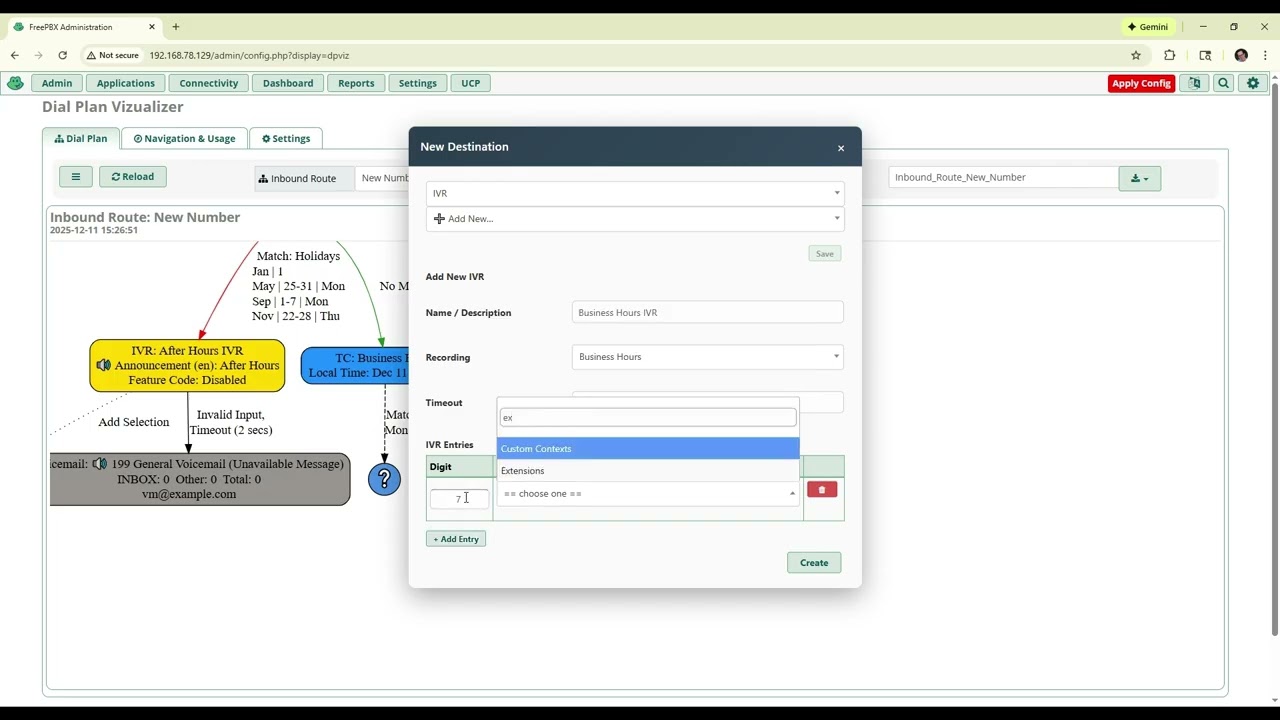
@madgen You continue to make the Visualizer so robust, your latest updates give me an idea I feel you may be on your way to implementing. A simulate call button, which at every point of the the flow stops and ask what the outcome was then builds a path and summary of the callers experience based on the selected outcomes/flow of the route.
Just installed and it’s improved over the old version quite a bit. Scroll sensitivity adjustment is nice – all the way to the left works well for me. I didn’t test much as I installed on a live box, but the only little bug I noticed (may have been from an earlier version) is that the IVR timeout should include the multiplier of the “Timeout Retries” value. So something like “Timeout (10 secs ✕ 3)” instead of just “Timeout (10 secs)”.
That said, it seems like it is becoming less of a dialplan visualizer and more of a visual dialplan manager. Without the ability to limit permissions, I imagine that would make it a non-starter for a lot of businesses. As a bare minimum, I would suggest locking all modification abilities behind an advanced setting.
Nice. I like that idea. I haven’t thought about including the retries.
I see your point about permissions. The module could be shared with a user that does not have access to module x, but through this module will allow to create a new destination.
I don’t know how to detect an admin - maybe read ampusers and read ‘sections’ -then restrict off of that?
Is there a different / better way to do this?
Like many things in FreePBX, it’s a bit of a mess. AFAIK you can only do per-module or per-extension authorization if you’re not using the User Manager. So first thing to check is if Freepbx::Config()->get("AUTHTYPE") is set to database. Then yeah manually parse the ampusers.sections column for the current user. There’s also columns in there for limiting access to a range of extensions but I’m not sure where that is in the UI, we’ve never used it.
And I still believe, in addition to thinking about module permissions, there should be a read-only switch to keep the module solely a “visualizer” as originally intended. Quite apart from authorization, it keeps the graphic simpler and easier to read.
Here is an updated beta version if you would like to try it.
Creating or inserting destinations will honor the user’s module permissions (User Management and Administrators)
I’ve improved the Minimal View setting.
Yes, I don’t know if this app is still available today. (I think it’s not longer) I bought it in 2010. Not used for some years ago. But If this kind of feature is available in FreePBX module, It’s a good new.