I using FreePBX 17 / Asterisk 20,
I enablec Inbound/Outbound and even test with an extension, I checked and saw there some files .wav were generated in path during my testing calls: /var/spool/asterisk/monitor but no recordings appear when I search for them in FreePBX.
But on freepbx GUI I dont see any .wav call recording logs was shown, I think in this case there some bugs or my call recording wasnt configured properly enough. Is it possible to setup pbx that show call recording history on GUI freepbx for navigating easily.
Thank for help me out!
Hello, Which specific section are you using to view the recorded calls? In the CDR Reports section, first check the date settings, and then ensure that the correct permissions are set for the call recording folder. If possible, please provide screenshots showing the permissions and the files inside the recording directory, as well as an image of the telephony system’s web interface showing the recording section.
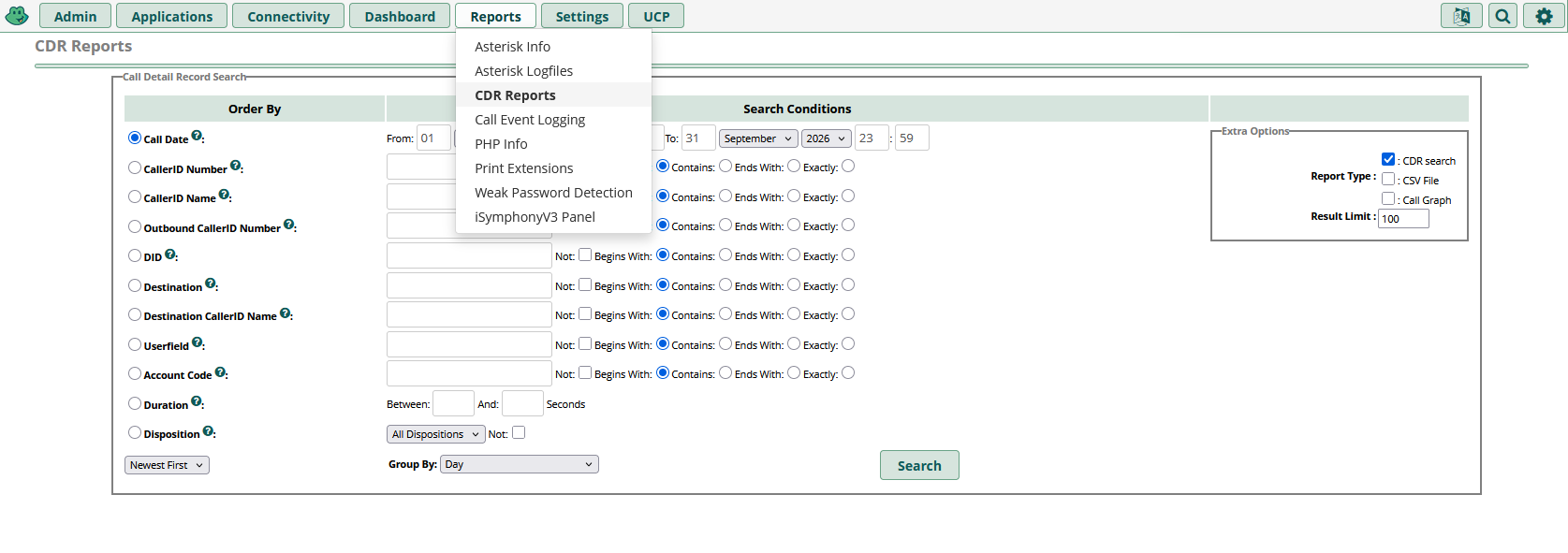
Hi, problem solved
I have checked permission recording folder is fine
user1@ubuntu24server:~$ ls -l /var/spool/asterisk/monitor
total 4
drwxrwxr-x 3 asterisk asterisk 4096 Sep 11 10:41 2026
I have set Inbound, Outbound, Queue all FORCE record setting. Nothing wrong with GUI setting.
I realize that there no connect to DB, Freepbx fetch CDR from asteriskcdrdb (maybe this name) but no record was created in db. Then I found this set up ODBC connector to db: Getting Asterisk Connected to MySQL via ODBC - Asterisk Documentation
Lacking of fully setup and not acknowledge how GUI, asterisk and DBs wrking gave me a hard time to figure it out in the first place.
Thank you!
Glad you got it working, and thanks for sharing the root cause.
It’s a good reminder that when call recording appears to be configured correctly in the GUI, it’s worth checking the complete chain: Asterisk → ODBC → database → CDR/recording-related data.
The permission check was a reasonable first step, but the missing database connectivity explains why everything could look correct in the GUI while no records were actually being created.
Thanks again for documenting the solution. Hopefully it helps someone else troubleshoot the same issue.
Did you inside the 2026 folder? That’s how it is saved. A recording from Sep 14 2026 will be in /var/spool/asterisk/monitor/2026/09/14
The 2026 folder wouldn’t exist unless a recording was actually saved.
If the recording directory contains the year folder, it’s worth checking the corresponding month/day folders as well. For example, a September 14 recording would be under var/spool/asterisk/monitor/2026/09/14.