Trouble provisioning P325

I picked up a pile of used P325 endpoints, and they’ve been far less straightfoward to provision than I’d expect.

I am running a new, up-to-date FreePBX 17 system on a Vultr-hosted Debian 12.14 VM. I have been unable to get any of the P325 units to do other than boot and give a “Communication Error: Timed out contacting proxy.” I have performed many Factory Resets as I’ve been making changes and finding issues, but I’m getting to my wits’ end.

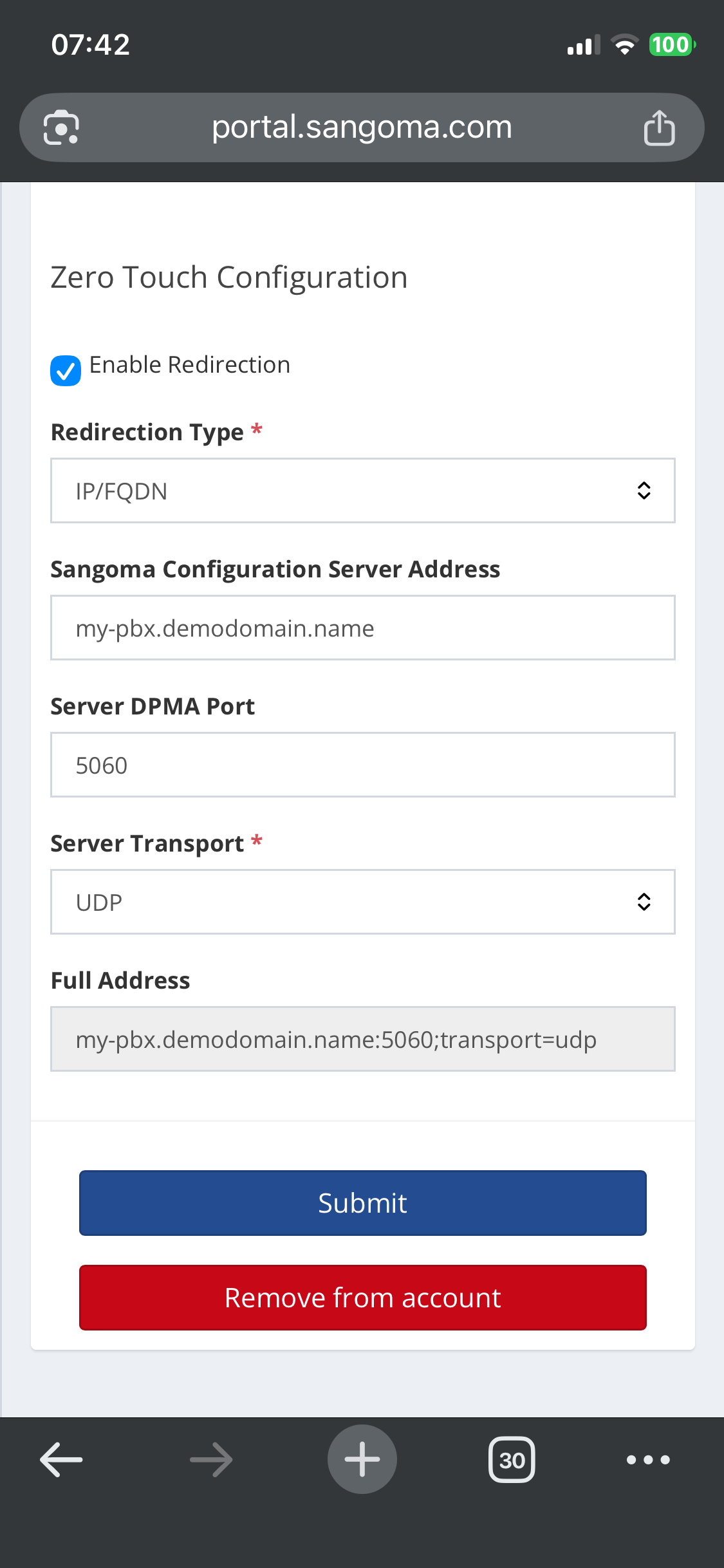
The phone is configured in the Sangoma Portal, and is connected to the correct deployment. The poll count never increments (it shows N/A for all my test phones).

I have DPMA set up. I have mDNS disabled, because the PBX is not on my local network.

I have verified that servers are listening on the correct IP address (or 0.0.0.0).

Endpoint Manager is configured, and the extension’s configured Model/MAC are set correctly.

I can confirm that I can connect to the HTTPS provisioning port on the PBX from a workstation on the same ethernet switch. I have tried switching from my Unifi UDM Pro to a factory-default GL-Inet Slate router with no luck. I even went so far as to attempt a connection with my Cox Business cable modem directly connected to the phone, and it still would not connect.

I can connect to the phone’s web interface

I will say, none of the Tech Support diagnostic tools (Ping, NSLookup, Traceroute, etc) work. All fail with a “This feature is not implemented.” error. I am also not having any luck with “Start the phone without a configuration” - it just shows the Communications Error.

I did update the firmware from 4_18_3 to 4_25_1, but it made no difference.

What am I missing? Is there some configuration item in the endpoint I’ve missed, that Factory Default doesn’t clear?
For context, do you have any P-Series working on this particular deployment?

Ensure your phones’ WAN IP is whitelisted in the firewall and check Intrusion Detection for current bans.

Don’t look at the polling in the portal, that’s an S-Series artefact that doesn’t report P-Series.

Also, check the address for Sangoma’s redirection server hasn’t been wiped from the phones boot configuration somehow, can you see it?

Then, factory reset and watch the System Logfiles. Do you see anything reaching FreePBX as directed by the Sangoma portal? Is anything coming in at all?

These are my first P-series phones, and this is a new deployment. I have a few other FreePBX systems, but am by no means an expert.

I have verified that I can connect to the HTTPS provisioning port at the FreePBX (pointed browser at port 1443 and received a server error).

How do I get to a “lower level” on the phone, or confirm that the device is configured properly to connect to the redirection server? Given how quickly any of the devices show the Communications Error, it almost seems like it is a local (on-device) issue.

I grabbed the one P330 I have, and even with 4_26_1 loaded, it booted and asked me for a Global PIN, after which it asked me for an extension and name. Subsequent boots (and factory-reset boots) have shown “Sangoma Configuration Server: Fetching” (a status I never saw on the P325), but it then fails with the Communications Error. I have uploaded 4_25_1 to the P330, but I don’t see any change to its behavior - it continues with its “Fetching” and “Communications Error” loop.


Today I spent a bunch of time working with Grok to eliminate any trouble spots. One complication I’d introduced was ZeroTier, to reduce firewall rule updates if I’m not at specific known locations and need to access the admin interface on the PBX. I’m now able to provision these phones, update firmware via EPM, and call between them. I’m still baffled that the Sangoma redirection server doesn’t work properly - I’m manually entering the configuration server. Firmware updates fail and retry 3-4 times before working properly, but right now, things appear to reliably work.

Thanks for helping me out!