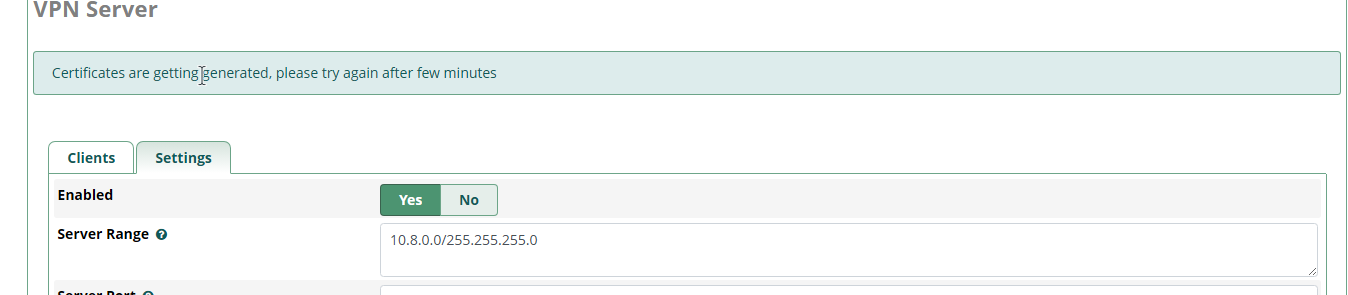
After I bought the sysadmin 25 years license, i went to the VPN Server tab to setup my VPN. I enabled the VPN Server in settings and waited for the certificates to generate, but despite hours of waiting, it never completed. Also, on the dashboard, there’s 2 warnings pop up: VPN Cert Expiry Alert The certificate for the VPN will expire in a few days. Please remember to regenerate it.
and VPN Cert Days value is Changed CERT_DAYS_VAL has been changed. You have to rebuild the VPN certificates.
For 1. I’ve check the server time and it’s correct.
For 2. This is also correct and there’s nothing blocking ACME
For 3. I couldn’t find the letsencrypt folder, I did find ca-certificates folder which has root:root (should it be asterisk:asterisk ?)
For 4. I actually don’t know how to do it since on the vpn server tab, it still “Certificates are getting generated, please try again after few minutes”
==> /var/log/asterisk/freepbx_dbug <== [2025-12-10 14:01:00] [dbug.DEBUG]: 2025-Dec-10 14:01:00 /var/www/html/admin/modules/sysadmin/Sysadmin.class.php:1028 [2025-12-10 14:01:00] [dbug.DEBUG]: Retarting VPN server with rebuilding ca files. OUT > ==> /var/log/asterisk/freepbx.log <== [2025-12-10 14:01:00] [freepbx.INFO]: [NOTIFICATION]-[sysadmin]-[VPN_Cert] - VPN Cert Days value is Changed (CERT_DAYS_VAL has been changed. You have to rebuild the VPN certificates.) OUT > [2025-12-10 14:01:00] [freepbx.INFO]: [NOTIFICATION]-[sysadmin]-[VPN] - VPN Cert Expiry Alert (The certificate for the VPN will expire in a few days. Please remember to regenerate it.)