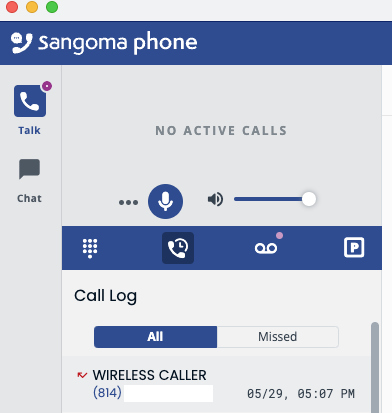
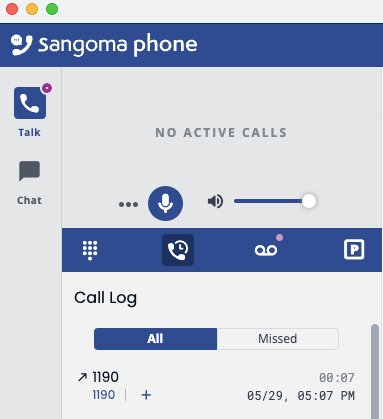
The call log on Sangoma Desktop seems to be utterly useless as it shows the ID of the ring group that delivered the call, rather than the caller ID of the caller:
We are not able to reproduce this issue locally with SCD 4.2.0 & external incoming call routed to ring group. I can see that the caller ID is correctly displayed in all 3 endpoints i.e SCD(4.2.0), STALK(1.0.17) & P370 phone.
Please restart sangomartapi process and then check the call log as it may fix this issue.
@girishmani Is this issue still open in development? Could you provide an update about it? With the latest sangomartapi, it is still not resolved for us. Thank you.
I close Sangoma Phone and open it again, and now the call log has replaced that entry with the ring group number and makes it look like an outgoing call according to the arrow icon on the left.
I also tested it with all the latest FreePBX updates for v16 today and Sangoma Phone Desktop 4.2.0 (Windows).
It looks like the issue only happens when the call wasn’t answered by anyone in the ring group.
If the call got answered everything is fine.
Our ring group settings
CID Name Prefix - Support:
Mark Answered Elsewhere - Yes
Ignore CF Settings - Yes
Destination if no answers - Announcement => Terminate Call (Hang up)
Everything else has the default values.