However, sngrep captures nothing.
I’d update that to your local net. 192.168.x.0/24 or whatever your local net is.
I’m more interested in what happens on the router. Do you know if SIP ALG is disabled on your router?
That is the local net for this office, we’re on 192.168.0.0/24 so that’s correct.
Other than the pfSense device, we’ve got a 48 port DrayTek switch (Model P2500) and this does not seem to have any SIP ALG options anywhere.
To eliminate that, I had a dumb switch plugged in instead of the DrayTek and it made no difference.
So I don’t have Pfsense to double check but see the following if it helps:
And for remote trunks (which is what you have):
Could you pls past here
sudo nano /etc/sysctl.conf
GNU nano 7.2 /etc/sysctl.conf #
/etc/sysctl.conf - Configuration file for setting system variables
See /etc/sysctl.d/ for additional system variables.
See sysctl.conf (5) for information.
#kernel.domainname = example.com
Uncomment the following to stop low-level messages on console
#kernel.printk = 3 4 1 3
###################################################################
Functions previously found in netbase
Uncomment the next two lines to enable Spoof protection (reverse-path filter)
Turn on Source Address Verification in all interfaces to
prevent some spoofing attacks
#net.ipv4.conf.default.rp_filter=1
#net.ipv4.conf.all.rp_filter=1Uncomment the next line to enable TCP/IP SYN cookies
See Improving syncookies [LWN.net]
Note: This may impact IPv6 TCP sessions too
#net.ipv4.tcp_syncookies=1
Uncomment the next line to enable packet forwarding for IPv4
#net.ipv4.ip_forward=1
Uncomment the next line to enable packet forwarding for IPv6
Enabling this option disables Stateless Address Autoconfiguration
based on Router Advertisements for this host
#net.ipv6.conf.all.forwarding=1
###################################################################
Additional settings - these settings can improve the network
security of the host and prevent against some network attacks
including spoofing attacks and man in the middle attacks through
redirection. Some network environments, however, require that these
settings are disabled so review and enable them as needed.
Do not accept ICMP redirects (prevent MITM attacks)
#net.ipv4.conf.all.accept_redirects = 0
#net.ipv6.conf.all.accept_redirects = 0or
Accept ICMP redirects only for gateways listed in our default
gateway list (enabled by default)
net.ipv4.conf.all.secure_redirects = 1
Do not send ICMP redirects (we are not a router)
#net.ipv4.conf.all.send_redirects = 0
Do not accept IP source route packets (we are not a router)
#net.ipv4.conf.all.accept_source_route = 0
#net.ipv6.conf.all.accept_source_route = 0Log Martian Packets
#net.ipv4.conf.all.log_martians = 1
###################################################################
Magic system request Key
0=disable, 1=enable all, >1 bitmask of sysrq functions
See Linux Magic System Request Key Hacks — The Linux Kernel documentation
for what other values do
#kernel.sysrq=438
net.ipv6.conf.all.disable_ipv6 = 1
net.ipv6.conf.default.disable_ipv6 = 1
make that file copy-backup.. then re-create another file with same name and same permissions.
Add a new sysctl.conf below details.
cp /etc/sysctl.conf /etc/sysctl.conf-backup
nano /etc/sysctl.conf

-- Add..

# FreePBX 17 changes - begin
net.ipv6.conf.all.disable_ipv6 = 1
net.ipv6.conf.default.disable_ipv6 = 1
net.ipv6.conf.lo.disable_ipv6 = 1
# FreePBX 17 changes - end
Save and exit .. reboot your system.
Thank you for this.
I have followed these guides before, I checked them again just now to double-check my settings and it all looks correct.
Done, thank you.
The system is rebooting as we speak, will run a test in about 5-10 minutes.
No difference I’m afraid. Thank you
what about TDPDUMP or SNGREP for getting IP addresses? IPv6 or IPv4 ?
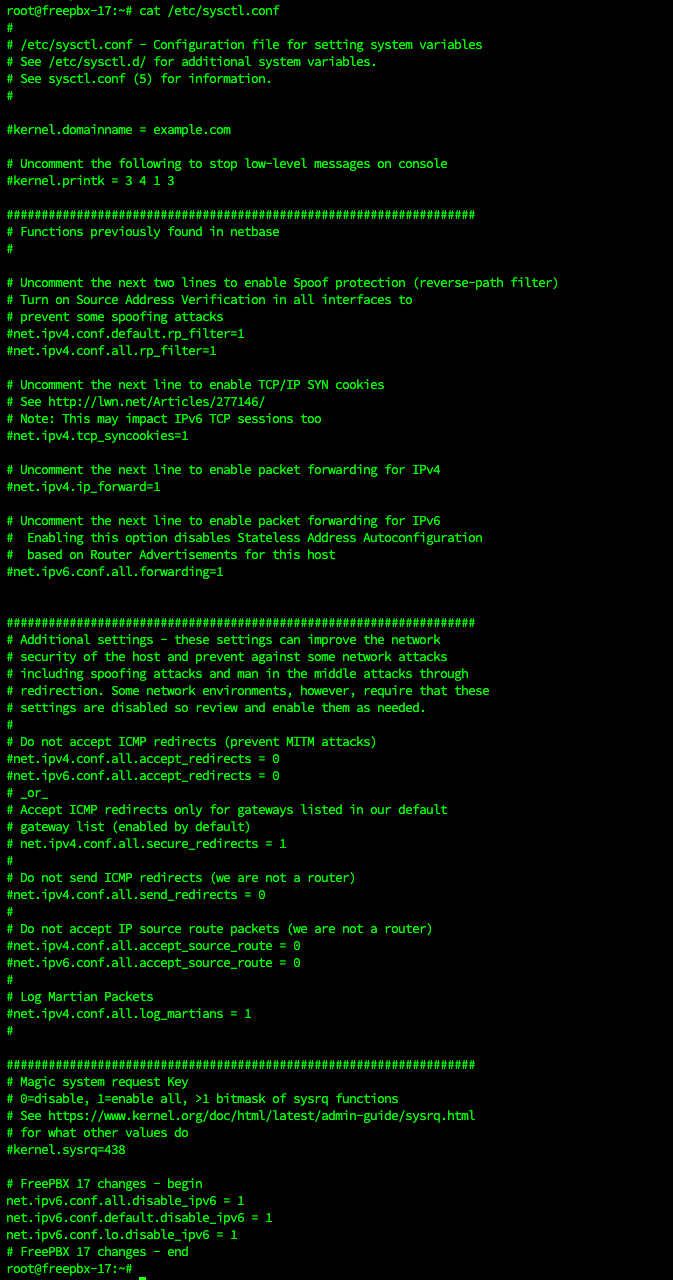
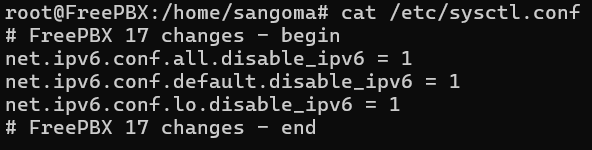
good. what about test call and sngrep?
I don’t see any more IPv6 addresses in tcpdump. Nothing appears when I call so perhaps it was unrelated all along, but IPv6 has caused trouble for me in the past.
Is it DrayTek setup a Bridge mode ?
No, it is a managed switch, this exact one:

My bad, I thought DrayTek is a ISP Router.
No worries, I understand where you’re coming from as we occasionally supply DrayTek routers. In fact, we replaced the DrayTek router this customer had with the pfSense in order to avoid SIP ALG and things like that.
The DrayTek Switch P2500 doesn’t have such an option, and I can confirm that because I’ve also tested this setup without the DrayTek in the way with the same results in the end.
It’s a fairly old switch now, it is EoL, but the devices we deployed for the pfSense and for the FreePBX are brand new machines so I can’t imagine this is down to a hardware problem.
Maybe you can try to connect directly without any Switch ( or try to change it with some basic swith just for testing)
PfSense ↔ FreePBX