This is my first deployment of freepbx/pbxact. It isnt as easy as digium switchvox I am used to. However, I see this as a learning curve.
I have 2 issues; Phonebook Directory and Permission to var/www/html
Phonebook Directory; I have read lots of articles and I realised there must be xml file for the IPPhones. I got some on this forum and I have tried to implement them. In doing that, I encountered the 2nd problem.
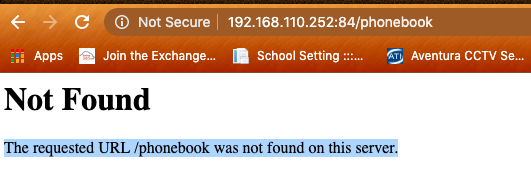
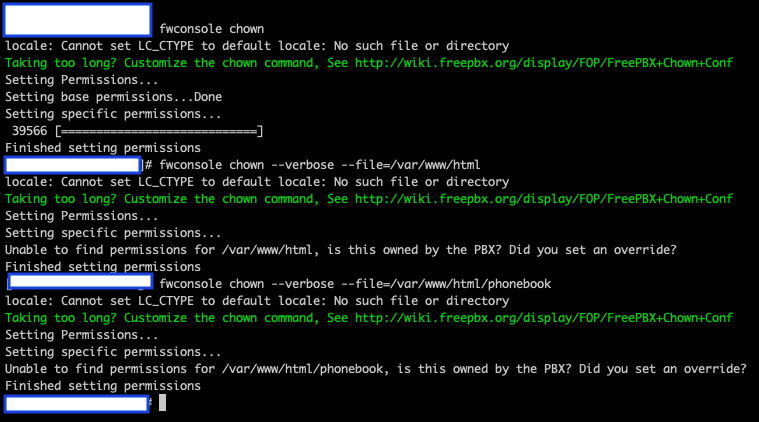
var/www/html permisssion; I uploaded the the php file for yealink and i could not execute the file. Also, I cannot view the dirctory on my browser - http://pbx-ipaddress/phonebook. I tried using the provisioning port http://pbx-ipaddress:84/phonebook. I always get error 404.
I need urgent help in resolving this. This project must be delivered on Monday 13th July 2020.
Every instrument model seems to handle this differently. Almost none of them, however, will just take a naked directory and figure what you are trying to do.
So, to help get you started:
The permissions on the Yealink stuff need to match the permissions on the rest of the files in that directory. Once you have the user and group set correctly, make sure the ‘x’ bit is set to make the file executable.
The phone (especially if you are using port 84 for provisioning) cannot see anything except the /tftpboot directory, so plan accordingly. It’s never as simple as just copying a file into the right place.
This a commercial appliance - have you reached out for tech support at Sangoma? If it’s a new implementation, you probably still have warranty credits that you can use to answer some of these questions.
I am using Fanvil x4 IPPhones. No much information about its integration with FreePBX or PBXact on the internet. The closest I got was that it uses the same syntax as Yealink and Cisco.
I am in need of script that generate xml file for Yealink or Cisco.
I was able to generate the xml files. However, I have to move the scripts and xml file to /tftpboot directory. For the reason that Fanvil only support TFTP protocol for provisioning.
The URL on the phone is tftp://192.168.110.252/Phone.xml. Thank you for all your support.
However, I have a new challenge. My Client wants to add employee`s cell number to the directory. Where can I add that on the PBX and how do I update the script to include cell number.