Daylight saving P Series Phones

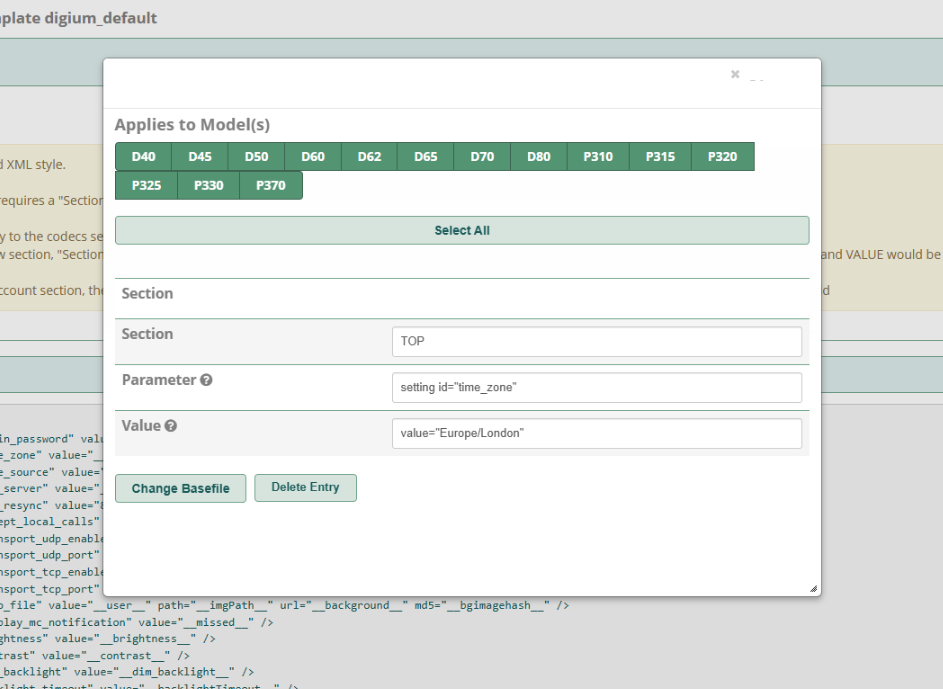
With the S Series phones in FreePBX the template had daylight savings settings:

But I notice when editing the P Series templates it doesn’t have the same settings.

How is daylight saving managed for P Series? Do I have to manually change the timezone for each template each time?

Thanks

Hi @steve_pbuk
The P-Phone does not have a Daylight Saving Time (DST) On/Off control in the template. DST is managed automatically and is fetched from the NTP server configured in the P-Phone template.

Let us know if you are facing any issues with this.

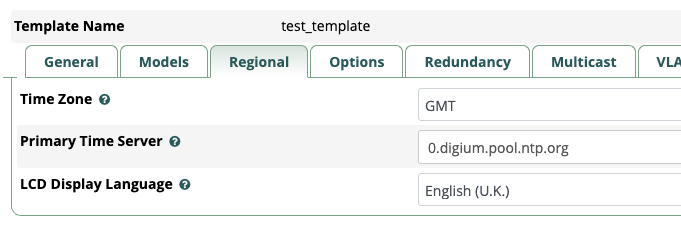
As a test, I have created a brand new template (Not a copy) and left the NTP server as the default:

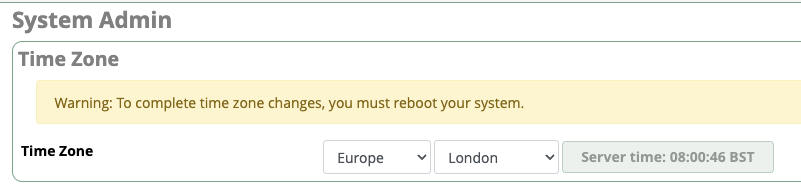
The time zone on the server is London (Not sure if this is relevant):

But the Sangoma P325 with the test template shows the time as 07:00 (its actually 08:00 right now) which is GMT rather than the BST London time.

I can see on our firewall that NTP traffic is allowed and flowing:
image

Do I need to configure anything else on the template?

Versions:
FreePBX 17.0.19.28
EndPoint Manager 17.0.2.26

Hi @steve_pbuk

We are checking with the team internally and will get back to you with the required settings.

NTP only transmits UTC; it has no concept of DST and does not communicate time zone information to its clients.

Thanks

To add a bit more information.

The Sangoma P325 is running on Firmware Version 4_26_1

Also, because I had users chasing me up to fix the time, I thought I would manually set the Template to GMT+1 so it shows the correct time for London. But it didn’t, it was then 1 hour ahead.

As an example:

  • Actual time in London is 15:00
  • Phone Template set to GMT, time shown is 14:00
  • Phone Template set to GMT+1, time show is 16:00

I’m lost with this lol

Do you have an update on this please?

FYI, I tested this on a Sangoma P330 today and it has the same issue.

Seems to be impossible to set it to the time of London.

I had seen this before. have you tried to check from Phone GUI it DATE/TIME settings ?
Screenshot 2025-08-06 at 10.22.46

sorry i don’t have P phone atm.

Also check the P Codes ( P64 )

Hi @steve_pbuk

We were able to reproduce this issue, and I have raised an internal Jira with priority to fix it in EPM. In the meantime, could you please try setting the time zone to “Europe/London” in the base file as a workaround?

Goto FreePBX > Endpoint Manager > Basefile Edit > Select template > Select Phone model. Search for time_zone setting, edit and modify the timezone i.e Europe/London .
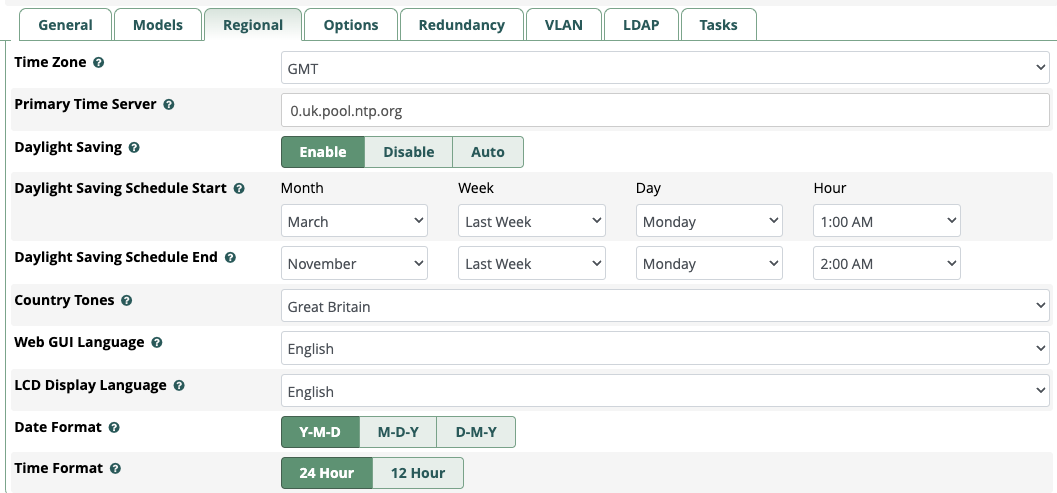

<setting id="time_zone" value="Europe/London" />

wiki for base file edit =>https://sangomakb.atlassian.net/wiki/spaces/Phones/pages/19693823/Phones+-+How+to+use+Base+File+Editor+in+EPM

Thanks for testing it.

I can confirm, the basefile edit is working as a workaround.

Thanks