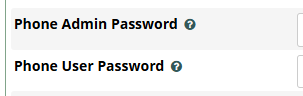
While trying to address the issues I have with Sangoma Phones, I would like to acess the “Web GUI” of the phone also after EPM Provisioning.
In template I enabled the web access.
I read the random generated Phone Admin Password from EPM / Global Settings:
Now I try to access the http:// of the phone with user “admin” and that password.
But it doesn’t works, it keeps repeating asking the credentials.
Any idea?
ozarktech
November 25, 2025, 10:03pm
2
Are you sure the phone provisioned? If it didn’t, try the default password: 789
Thanks but yes, phone provisioned and 789 doens’t works
Santhosh
November 27, 2025, 5:41am
4
Hi @unlikely