Hi everyone,
It’s been a while since my last update here. I’ve continued working on Obelisk, and R81 is now available to try.
For anyone coming across this project for the first time, Obelisk is a self-hosted application for FreePBX that brings together live queue monitoring, call reports, recordings and optional AI analysis.
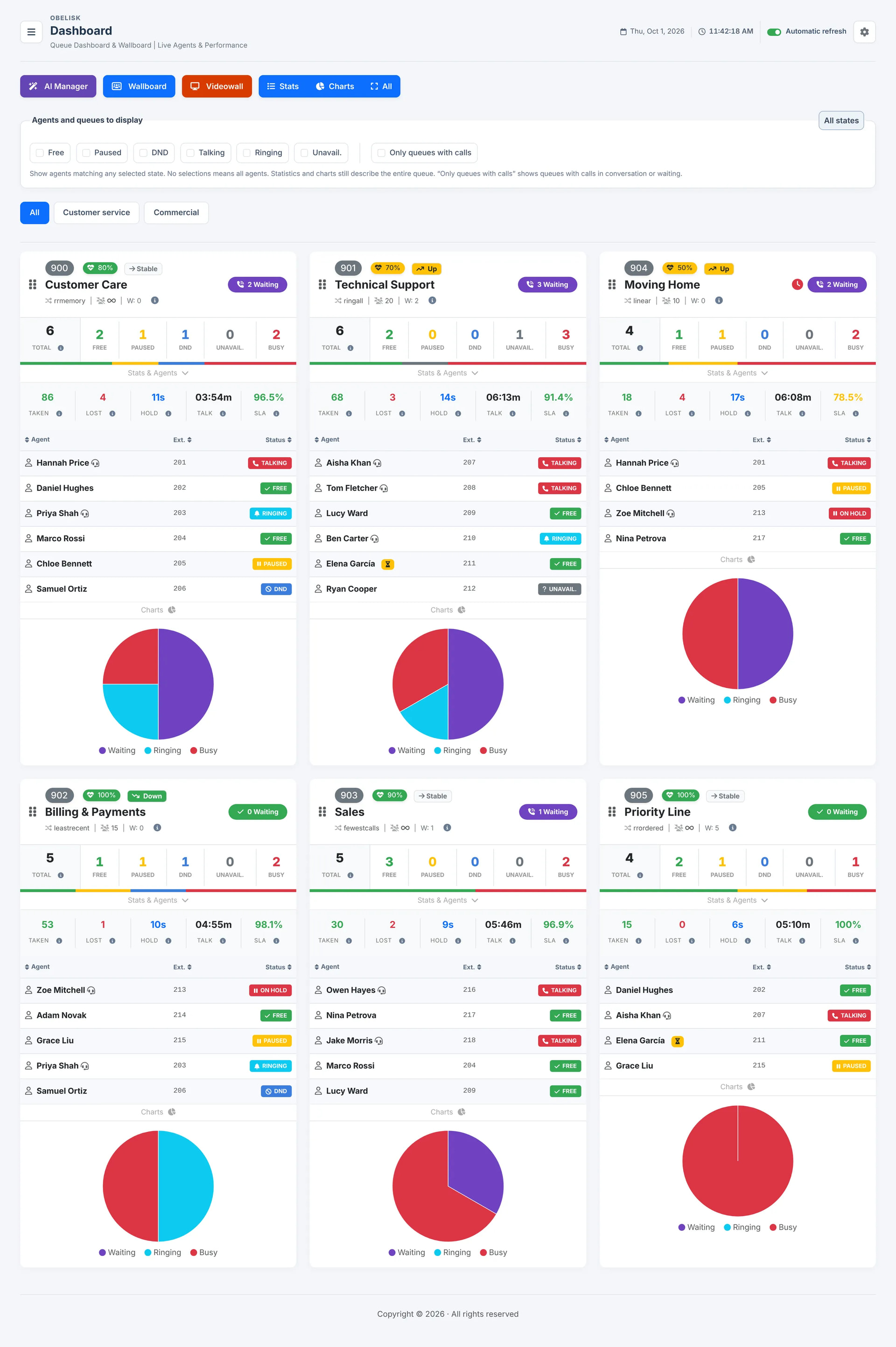
The Dashboard, Wallboard and extension monitor are still central to it, including agent status, pause controls and listen/whisper/barge. There is also a Videowall view for displaying queue information on larger screens.
Most of the changes since my original post are on the reporting side. You can now investigate what happened to individual calls, as well as look at the overall numbers:
- Queue and outbound reports, covering answered calls, unanswered calls and agent ring-no-answer attempts, with filters, charts and CSV exports.
- A Routing Log showing the recorded queue events for a call, with access to linked recordings where available, including separate audio segments.
- Contacts and journeys, which highlights repeat calling numbers and the paths observed across queues. You can go from the summary down to the individual calls and their routing details.
- Traffic forecasts and staffing scenarios, using historical arrivals to estimate the coming week’s traffic. You can try different staffing levels, save scenarios and compare their estimated coverage.
- Geographical breakdowns of call traffic, based on telephone prefixes.
For example, if the same number has called several times, you can find those calls, check the queues involved and listen to the associated recordings. That is the sort of workflow I wanted to make easier.
The recordings section also includes optional Gemini-based transcription, summaries and call-quality analysis. AI uses your own Gemini API key, and the selected data or audio is sent to Google for processing. API availability and costs depend on your Google account and usage. Live monitoring and standard reporting work without AI.
There have been changes on the administration side too: two-factor authentication, access and action logs, encrypted configuration backups with a restore preview, and assisted updates that handle both application files and database changes. The interface is available in English, Italian and Spanish.
Application data now lives in a dedicated MySQL/MariaDB database. Obelisk reads the existing FreePBX CDR and queue-log sources; the application and source databases must be on the same SQL instance, which can be local or remote.
Installation now uses a guided SSH installer, with English and Italian instructions included. The reference setup is FreePBX 17 on Debian 12/13, Asterisk 22 and PHP 8.2.
A fully functional seven-day trial is available. Install Obelisk, open the activation page and choose “Try free for 7 days”. No license key is needed for the trial, and the seven days start when you activate it.
Website: obsk.io
If you try it, I’d be interested to hear how the reports fit your daily work—particularly whether the routing and repeat-caller views help with the questions you normally have to investigate manually.
Thanks,